

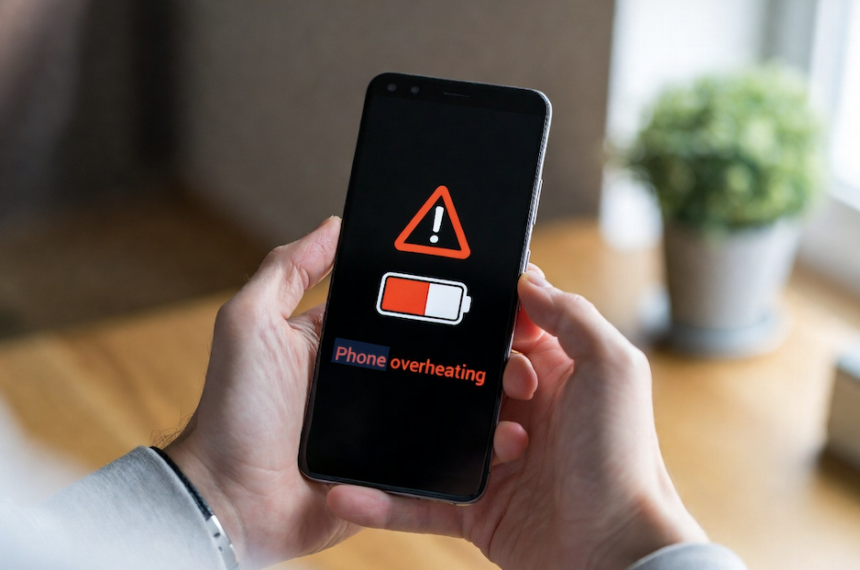
Introduction: Why Your Phone Gets So Hot
Your smartphone is something you rely on all day, whether for messaging, browsing, gaming, or work. So when it suddenly starts heating up, it can feel frustrating and even worrying. Many users search for a reliable Android phone overheating solution because the issue appears without warning and can affect any device.
A slightly warm phone is normal, especially during heavy use. However, when your phone becomes hot enough to slow down, dim the screen, or show warning messages, it’s a clear sign that something needs attention. Overheating not only affects performance but can also reduce battery life and damage internal hardware over time.
Most times, the issue isn’t as bad as it looks. It usually depends on how you’re using the phone or things like temperature and charging. Finding the cause is the first step to fixing the problem.
This guide is designed to give you simple, practical solutions that work immediately, along with long-term fixes to keep your phone running smoothly. By the end, you’ll know how to manage heat effectively and avoid future problems.
Why Android Phones Overheat (Simple Explanation)
To understand overheating, it helps to look at how your phone works. Every time you open an app, stream a video, or scroll through social media, your phone’s processor is working behind the scenes. This processing generates heat, just like any electronic device.
Under normal conditions, your phone is designed to handle this heat. It uses built-in cooling methods, such as heat spreaders and smart software controls, to keep temperatures stable. But when multiple demanding tasks run at the same time, or when the phone is exposed to high external temperatures, the heat can build up quickly.
For example, playing high-performance games, using GPS navigation for long periods, or video calling for extended sessions can push your phone beyond its comfort zone. Add charging into the mix, and the temperature rises even faster.
Environmental factors also play a big role. Leaving your phone in direct sunlight, inside a car, or using it in hot weather can prevent it from cooling properly. Many users assume overheating means the device is faulty, but in reality, it’s often a result of heavy usage patterns.
By recognizing these triggers, you can take simple steps to reduce stress on your device and keep temperatures under control.
5 Quick Ways to Cool Down Your Phone Instantly
When your phone starts overheating, acting quickly can prevent further damage. The goal is to reduce the workload on your device and allow heat to escape naturally. These quick fixes are simple but highly effective when applied immediately.
First, enabling Airplane Mode cuts off all wireless connections, including mobile data, Wi-Fi, and Bluetooth. These features constantly search for signals, which can generate heat, especially in low-signal areas. Turning them off gives your phone a chance to cool down quickly.
Next, closing all running apps is essential. Many apps continue working in the background even after you exit them. These background processes use CPU power and increase temperature. Clearing them reduces the load instantly.
Removing your phone case is another easy step. While cases protect your device, they also trap heat. Letting your phone stay uncovered helps release heat faster, especially during hot weather.
If your phone is charging, unplug it immediately. Charging produces heat naturally, and combining it with heavy usage can make things worse.
Finally, place your phone on a cool, flat surface like tile or metal. These surfaces absorb heat more efficiently than fabric or wood, helping your phone cool down safely.
Long-Term Fixes to Prevent Overheating
While quick fixes help in urgent situations, preventing overheating in the long run requires small but consistent changes in how you use your phone. These habits can significantly improve performance and extend your device’s lifespan.
One of the most effective steps is managing screen settings. High brightness and high refresh rates consume more power, which generates heat. Lowering brightness and switching to a standard refresh rate can reduce stress on your device without affecting daily usage too much.
Another important factor is app management. Some apps are poorly optimized and continue running in the background, even when not in use. Regularly updating your apps ensures better performance, while uninstalling unused ones reduces unnecessary load on your system.
Battery settings also play a role. Features like adaptive battery can sometimes overwork background processes, depending on usage patterns. Adjusting these settings and monitoring performance can help maintain a stable temperature.
Charging habits matter as well. Fast charging is convenient, but it produces more heat compared to regular charging. Using a standard charger for daily use and avoiding wireless charging when the phone is already warm can make a noticeable difference.
By adopting these habits, you not only prevent overheating but also improve battery health and overall device performance.
When Overheating Means a Serious Problem
In some situations, overheating is not just about usage or settings. It can indicate a deeper hardware or software issue that requires attention. Knowing the warning signs can help you avoid long-term damage or safety risks.
If your phone becomes hot even when it’s not being used, it could point to an internal problem. This might include a failing battery, a software loop that keeps the processor active, or even a hardware fault. These issues won’t fix themselves and usually need a proper diagnosis.
Battery swelling is one of the most serious warning signs. If your phone looks slightly bulged or doesn’t sit flat on a surface, the battery may be expanding. This can be dangerous and should be handled immediately by a professional. Avoid charging or using the phone in this condition.
Another solution to persistent overheating is performing a factory reset. Sometimes, corrupted files or software bugs can cause the processor to run continuously. Resetting your phone removes these issues and gives it a fresh start.
If overheating continues despite trying all solutions, it’s best to consult a technician. Early repair is often much cheaper and safer than replacing the entire device. Ignoring the issue can lead to permanent damage or even safety hazards.
Conclusion: Keep Your Phone Cool and Healthy
Managing your phone’s temperature is not complicated once you understand the basics. Overheating is usually a result of heavy usage, poor habits, or environmental factors, rather than a serious fault.
The key is to respond quickly when your phone heats up and adopt smarter usage habits for the long term. Simple actions like reducing brightness, limiting background apps, and avoiding unnecessary fast charging can make a big difference.
Your phone is designed to handle daily tasks efficiently, but it still needs proper care. Paying attention to warning signs and making small adjustments can help you avoid performance issues and extend the life of your device.
If the problem continues despite trying all the recommended solutions, it’s always a good idea to seek professional help. Taking action early can save you from bigger problems and unnecessary expenses in the future.
Stay mindful of how you use your phone, and you’ll keep it running smoothly without overheating issues.
FAQ’s
Can overheating permanently damage my phone?
Yes, especially if it happens frequently. Repeated exposure to high temperatures can weaken your phone’s battery and damage internal components over time.
Is it safe to cool my phone down quickly, like placing it in a fridge?
No. While it may seem like a quick fix, putting your phone in a fridge can cause condensation inside the device, leading to water damage. It’s better to let it cool down naturally.
Do phone cases contribute to overheating?
Yes. Thick cases, particularly those made of rubber or leather, can trap heat. Switching to a lighter case or removing the case during heavy usage can help reduce overheating.
Does using dark mode help prevent overheating?
On devices with OLED screens, dark mode reduces power usage because fewer pixels are lit. This can slightly lower heat generation, though the difference may not be dramatic.
What’s the best way to take care of my phone to avoid overheating issues?
Avoid frequent high-temperature exposure, let your phone cool naturally (not in a fridge), use a lighter case or remove it during intense use, and consider using dark mode on OLED screens to marginally reduce heat.