

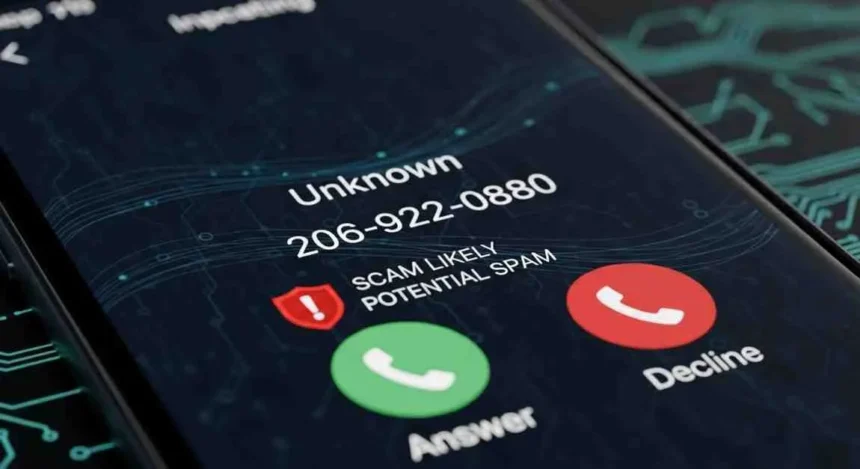
Did you receive a call from the number 206-922-0880 claiming to be from Amazon and requesting a verification code? You’re not alone. Thousands of consumers across the United States are reporting suspicious calls from this number that claim to be from Amazon customer service, but may actually be account takeover attempts.
In this comprehensive guide, we’ll explain exactly what’s happening with calls from 206-922-0880, how to identify if it’s a scam, what to do if you’ve already shared information, and how to protect yourself from future phone fraud attempts. You’ll learn to recognize the patterns of these fraudulent calls, verify the legitimacy of any contact claiming to be from Amazon, and take concrete steps to safeguard your account and personal information.
What Are Users Reporting About 206-922-0880?
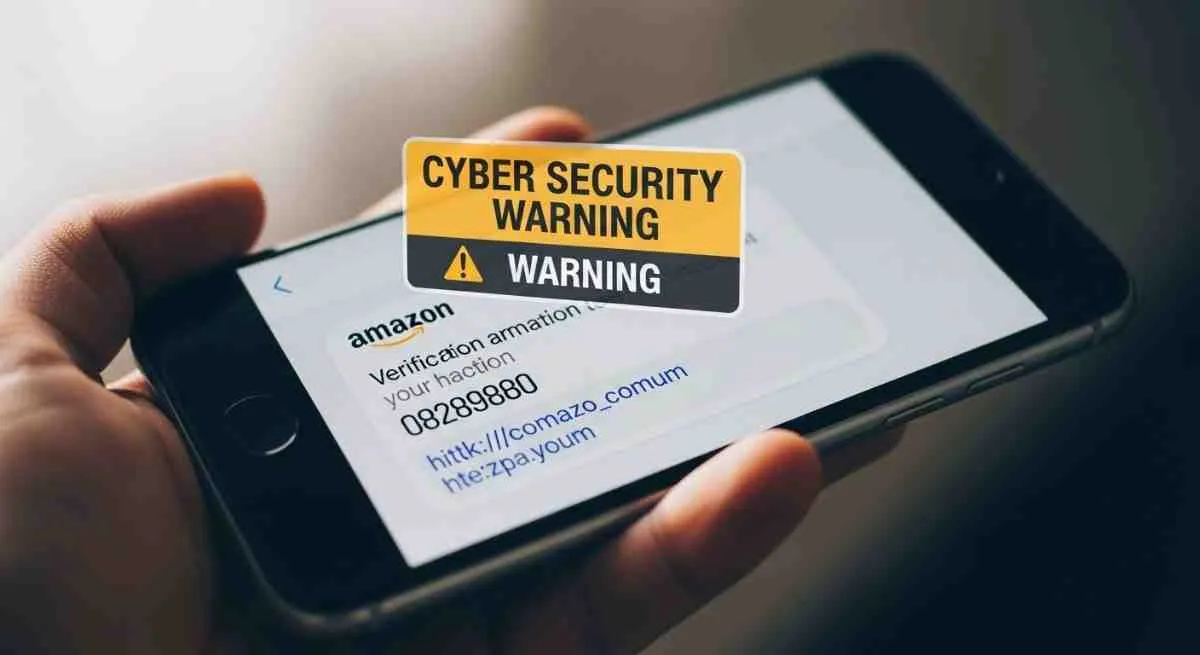
Consumer reports on forums like Reddit, phone number identification sites, and complaint platforms show a consistent pattern. Most people first receive a text message that appears to come from Amazon, indicating that a large or suspicious purchase was attempted on their account. The message includes a six-digit verification code and asks the user to “ignore this message if you authorized the purchase” or to “call immediately” if they don’t recognize it.
Minutes after the text, a call comes from 206-922-0880. An automated voice (text-to-speech or TTS) identifies itself as “Amazon customer service” or “Amazon security” and asks the user to provide the verification code they just received by text message to “cancel the fraudulent transaction.” This is the main red flag: Amazon will never ask you to share verification codes over the phone.
The 206 area code corresponds to the Seattle, Washington area, where Amazon has its headquarters. This makes the number appear more legitimate at first glance, but scammers use precisely this geographic coincidence to build trust. The reality is that criminals can spoof any phone number using caller ID spoofing techniques.
How This Amazon Call Scam Works
The Automated Call and Verification Code Pattern
This type of fraud is known as a “callback scam.” Scammers first trigger Amazon’s legitimate two-factor authentication system by attempting to access your account. This generates a real verification code that Amazon sends to your phone via SMS. Immediately afterward, the criminals call you pretending to be Amazon support.
The call uses a robotic or synthesized voice that sounds professional but impersonal. The message typically says something like: “This is an Amazon verification call. We have detected suspicious activity on your account. An attempted purchase of [large amount] was made. If you did not authorize this purchase, press 1 to speak with a representative.”
If you press 1, you’re connected with a “representative” (the scammer) who will ask for the Amazon verification code text you just received. If you provide this code, you give the criminal complete access to your Amazon account, including your saved payment methods, order history, and personal information.
Caller ID Spoofing Explained
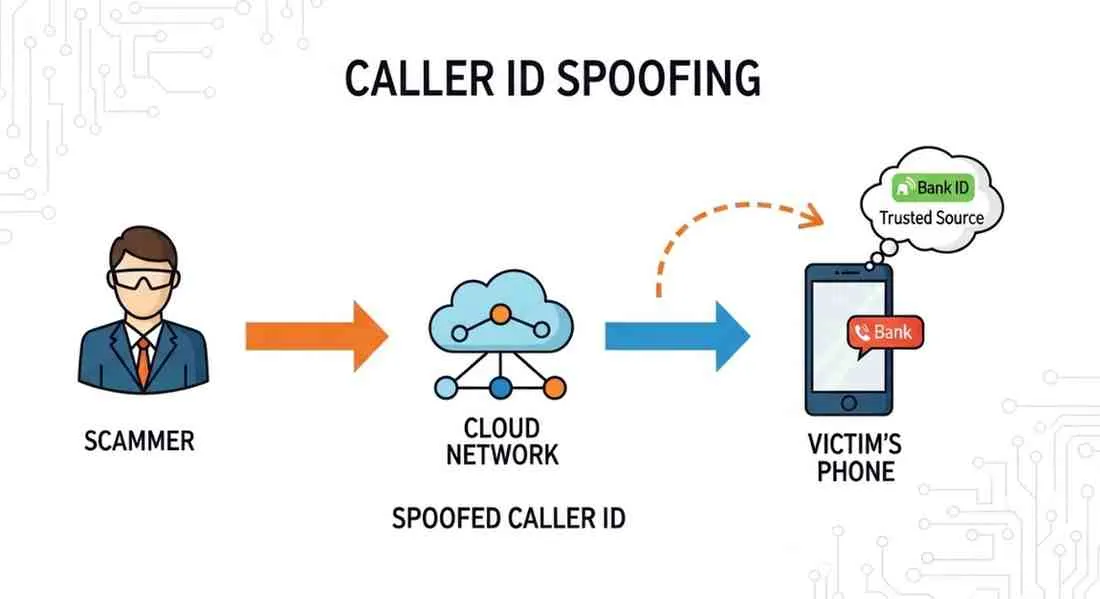
Spoofing technology allows scammers to make any number appear on your caller ID. They can make it look like the call is coming from a local number, a known company, or even a family member’s phone number. In this case, they use a 206 area code number to lend credibility when claiming to be from Amazon.
Spoofing is surprisingly easy to perform and widely available through VoIP services. Scammers can program automated systems to make thousands of calls per hour, changing the displayed number for each group of potential victims. This makes it nearly impossible to trace the true source of the call.
It’s crucial to understand that seeing a specific number on your screen guarantees nothing about the caller’s true identity. Even if the number matches one listed on Amazon’s official website, that doesn’t prove the call is legitimate.
Two-Factor Authentication (2FA) Abuse
Ironically, scammers are exploiting a security feature designed to protect you. Two-factor authentication requires two forms of verification: something you know (your password) and something you have (your phone). When criminals obtain or guess your password, the 2FA system blocks them by sending you a code that only you should have.
But through social engineering, scammers convince you to voluntarily share that code. They make you believe you’re protecting your account when you’re actually handing over the key. Once they have the code, they can complete the login, change your password, and take total control of your account before you realize what happened.
This type of attack is called “2FA phishing” or “2FA bypass” and is becoming increasingly common. It doesn’t just affect Amazon, but also bank accounts, social media, and email services that use SMS codes for verification.
How to Verify if an Amazon Call Is Legitimate
Step 1: Check Your Amazon Account Directly
Never trust information provided in a suspicious call or message. Instead, open your web browser or the official Amazon app and log into your account directly. Go to “Your Orders” and “Account Activity” to verify if there are any unauthorized purchases or changes.
Amazon always displays important alerts within your account when you log in. If there’s really a security issue, you’ll see clear notifications on your dashboard. The absence of alerts in your official account is a strong signal that the call was fraudulent.
You can also check the “Message Center” within your Amazon account. All legitimate communications from Amazon will appear there, including notifications about orders, account changes, and security issues.
Step 2: Compare with Official Amazon Numbers
Amazon publishes its official customer service numbers on its help page. The legitimate Amazon customer service number for customers in the United States is 1-888-280-4331. This is the only number you should use to contact Amazon if you have questions.
The number 206-922-0880 does NOT appear on any official list of Amazon contact numbers. If a call claims to be from Amazon but comes from a different number than what’s published on their official website, it’s almost certainly a scam. Never assume an unverified Amazon callback number is legitimate just because the caller ID says “Amazon.”
Remember that Amazon rarely calls customers proactively. Most communications from the company are via email or messages within the platform. If you receive an unexpected call, be very skeptical.
Step 3: Never Share Verification Codes Over the Phone
This is the golden rule: Amazon will NEVER ask you to provide a verification code, password, or complete credit card information over the phone. Verification codes are only for YOU to enter directly on Amazon’s website or app when you log in.
If someone asks for a code you just received by text, hang up immediately no matter what story they tell you. Even if the person sounds professional, urgent, or threatening, no legitimate reason justifies sharing that code. It’s like giving the keys to your house to a stranger.
Real customer service representatives can help you resolve issues without needing your security codes. They have access to internal systems that allow them to verify your identity in other ways if they truly need to.
Real-World Example: What Happened to Actual Users
Multiple users on platforms like Reddit have shared similar experiences with this number. A typical reported case describes the following: A user received a text message that said “Amazon: A login attempt was detected from a new device. Verification code: 739482. If this wasn’t you, call 206-922-0880 immediately.”
Two minutes later, that same user received a call from 206-922-0880. The automated voice claimed to be from Amazon security and mentioned a $1,200 purchase in electronics that had supposedly been made on their account. The recording asked them to press 1 to dispute the charge.
Fortunately, this user was suspicious and instead of pressing 1, hung up and checked their account directly. There were no new purchases or alerts. They realized it had been an account takeover attempt and reported both the number and the text message to Amazon and the FTC.
Other users haven’t been as lucky and have reported that after providing the code, they found changes to their account information, purchase attempts, or even unauthorized subscriptions to Amazon Prime. Regaining control of the account can take days and requires contacting real Amazon support.
What to Do Now If You Received This Call (Immediate Action Checklist)
IMMEDIATE ACTION CHECKLIST:
✅ 1. Don’t provide any information. If you’re still on the call, hang up immediately without pressing buttons or speaking to anyone.
✅ 2. Log into your Amazon account directly. Use the official website or app, never links in text messages. Change your password immediately.
✅ 3. Review all recent activity. Check orders, saved payment methods, shipping addresses, and account settings. Look for any unauthorized changes.
✅ 4. Enable or verify your two-factor authentication. Preferably use an authenticator app like Google Authenticator or Authy instead of SMS.
✅ 5. Contact Amazon directly. Call 1-888-280-4331 or use live chat from your account to report the incident and secure your account.
✅ 6. Monitor your financial accounts. If you shared any financial information, contact your bank or credit card company immediately to watch for fraudulent charges.
How to Protect Yourself from Future Fraudulent Calls
Call-Blocking Apps and Features
Both iPhone and Android devices offer built-in features to block spam calls and filter unknown numbers. On iPhone, go to Settings > Phone > Silence Unknown Callers to automatically send calls from numbers not in your contacts to voicemail. Android users can enable spam protection in the Phone app settings.
Third-party apps like Nomorobo, RoboKiller, Truecaller, and Hiya offer more advanced blocking features. These apps use crowdsourced databases of known scam numbers and can identify and block robocalls before they reach you. Many carriers also offer free spam-blocking services like AT&T Call Protect, T-Mobile Scam Shield, and Verizon Call Filter.
Remember to regularly update these apps and your device’s operating system to ensure you have the latest protection against new scam tactics.
STIR/SHAKEN Technology Explained
STIR/SHAKEN is a framework implemented by phone carriers to combat caller ID spoofing. STIR stands for Secure Telephony Identity Revisited, and SHAKEN stands for Signature-based Handling of Asserted information using toKENs. In simpler terms, it’s a digital signature system that verifies a call is actually coming from the number displayed.
When a call is made, the originating carrier “signs” the call with a certificate verifying the caller’s identity. The receiving carrier can then check this signature to determine if the call is legitimate or potentially spoofed. If verified, your phone may display a checkmark or “Verified Caller” label.
While STIR/SHAKEN significantly reduces spoofed calls, it’s not perfect. Scammers can still find ways around it, and implementation varies by carrier. Always remain vigilant even if a call appears verified.
Two-Factor Authentication Best Practices
While SMS-based two-factor authentication is better than nothing, it’s vulnerable to SIM swapping attacks and the type of social engineering described in this article. For better security, use authenticator apps like Google Authenticator, Microsoft Authenticator, or Authy.
These apps generate time-based codes directly on your device without requiring a phone number or SMS message. Even if a scammer knows your password, they can’t receive the code unless they have physical access to your device. This makes account takeover attempts much more difficult.
For your most important accounts (email, banking, Amazon), consider using hardware security keys like YubiKey or Google Titan. These physical devices provide the strongest form of two-factor authentication and are nearly impossible to phish.
Where and How to Report Suspicious Amazon Calls
Report to the FTC (Federal Trade Commission)
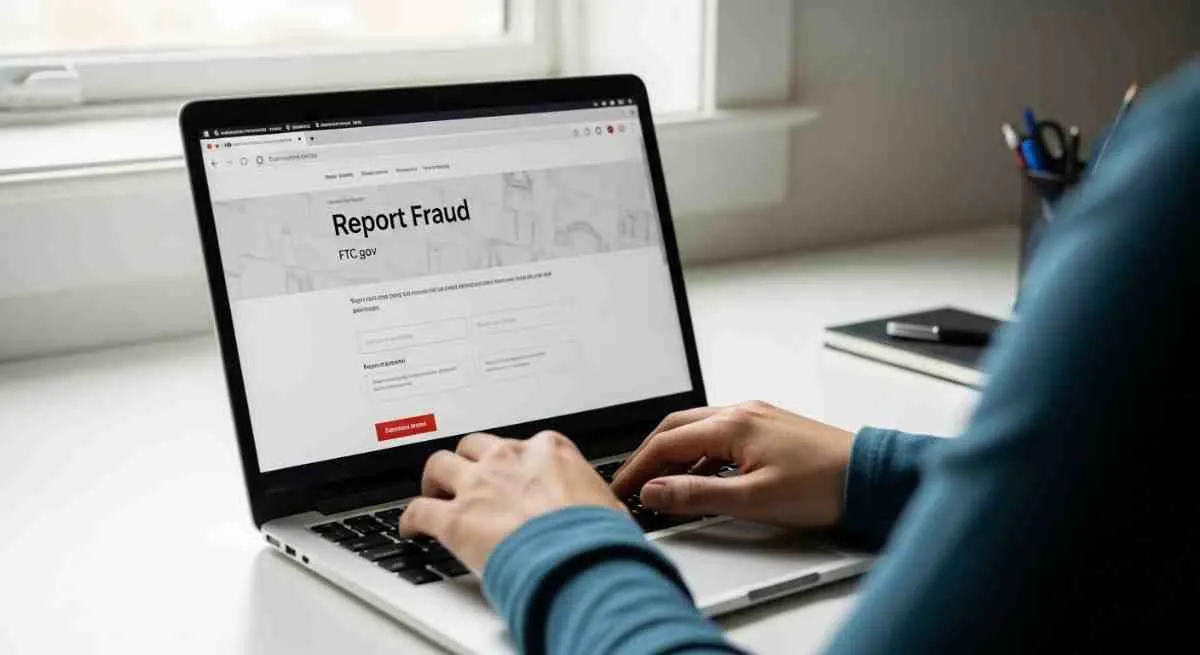
The Federal Trade Commission handles consumer fraud complaints and uses this data to identify and take action against scammers. Report the call to the FTC at reportfraud.ftc.gov or by calling 1-877-FTC-HELP (1-877-382-4357). Provide as much detail as possible including the phone number (206-922-0880), date and time of the call, and what the caller said.
The FTC maintains the National Do Not Call Registry and enforces the Telephone Consumer Protection Act. While individual reports may not result in immediate action, your complaint contributes to larger investigations and helps protect other consumers. The FTC can impose significant fines on companies or individuals conducting illegal robocalls.
You can also check the FTC’s website at consumer.ftc.gov for the latest information about phone scams and how to protect yourself.
Report to the FCC (Federal Communications Commission)
The Federal Communications Commission regulates interstate communications and enforces rules against illegal robocalls and caller ID spoofing. File a complaint with the FCC at consumercomplaints.fcc.gov or call 1-888-CALL-FCC (1-888-225-5322).
The FCC works with phone carriers to track down and shut down robocall operations. They also enforce STIR/SHAKEN implementation and can levy substantial fines against violators. The more detailed information you provide (phone numbers, times, descriptions), the more effective their enforcement can be.
The FCC’s website at fcc.gov offers resources about robocalls, call-blocking tools, and your rights under the law.
Report Directly to Amazon
Amazon needs to know about phishing attempts using their brand. Report the suspicious call through your Amazon account by going to the Customer Service page and selecting “Report Something Suspicious.” You can also forward suspicious emails to stop-spoofing@amazon.com.
Amazon’s security team investigates these reports and can take steps to protect other customers. They may also be able to determine if your account was compromised and help you secure it. Always use the official contact methods listed on Amazon’s website rather than responding to suspicious messages.
Visit amazon.com/report for more information on how to report phishing, spoofing, and other suspicious activity.
Frequently Asked Questions About 206-922-0880 and Amazon Scams
Q: Is 206-922-0880 a legitimate Amazon phone number?
A: No, 206-922-0880 is not an official Amazon customer service number. Amazon’s legitimate customer service number for U.S. customers is 1-888-280-4331. Any call from 206-922-0880 claiming to be Amazon should be considered suspicious.
Q: What should I do if 206-922-0880 asked me for a verification code?
A: Do not provide the code under any circumstances. Hang up immediately, log into your Amazon account directly through the official website or app, change your password, and enable two-factor authentication using an authenticator app. Report the call to Amazon, the FTC, and the FCC.
Q: I already gave them the verification code. What now?
A: Act immediately. Log into your Amazon account and change your password right away. Check for any unauthorized purchases, changed payment methods, or altered shipping addresses. Contact Amazon customer service at 1-888-280-4331 to report the breach. Monitor your financial accounts for fraudulent activity and consider placing a fraud alert with credit bureaus.
Q: How do scammers get my phone number and Amazon account information?
A: Phone numbers and email addresses are often obtained through data breaches, purchased on the dark web, or harvested from public sources. Scammers may attempt to access multiple accounts using common passwords. They then exploit Amazon’s legitimate 2FA system to generate the verification code they need.
Q: Can caller ID spoofing be stopped?
A: While STIR/SHAKEN technology is reducing spoofed calls, it’s not foolproof. The best defense is to never trust caller ID alone. Always verify the caller’s identity by hanging up and calling back using an official number from the company’s website, not a number provided in the suspicious call.
Q: Will Amazon ever call me about account problems?
A: Amazon rarely initiates phone calls to customers. Most communications are through email or messages in your Amazon account Message Center. If Amazon does call, they will never ask for your password, verification codes, or complete credit card numbers over the phone.
Q: How can I tell if a text message is really from Amazon?
A: Legitimate Amazon texts typically come from short codes like 262966 or 469966. However, scammers can spoof these too. The safest approach is to never click links in text messages. Instead, log into your Amazon account directly through your browser or the official app to check for legitimate notifications.
Q: What’s the difference between phishing and vishing?
A: Phishing typically refers to email-based scams, while vishing (voice phishing) refers to phone-based scams like the 206-922-0880 calls. Both use social engineering to trick victims into revealing sensitive information. The tactics are similar but use different communication channels.
Q: Are there other phone numbers used in Amazon scams?
A: Yes, scammers constantly change numbers to avoid being blocked. Other reported numbers include various area codes, not just 206. Always verify any unexpected call claiming to be from Amazon by checking your account directly and calling the official customer service number.
Q: Can I block 206-922-0880 on my phone?
A: Yes, you can block specific numbers on most smartphones. On iPhone, go to Recent Calls, tap the “i” icon next to the number, and select “Block this Caller.” On Android, tap and hold the number in your recent calls and select “Block/Report spam.” However, scammers often use different numbers, so comprehensive spam-blocking apps may be more effective.
Conclusion: Stay Alert and Protect Your Account
The calls from 206-922-0880 represent a sophisticated phishing operation that exploits Amazon’s security features against you. These scammers use caller ID spoofing, automated systems, and social engineering to create a sense of urgency and trick you into compromising your own account security.
Remember the key principles: Amazon will never ask you to share verification codes over the phone, caller ID can be easily faked, and you should always verify account issues by logging in directly rather than trusting an unexpected call. When in doubt, hang up and contact Amazon through official channels.
By staying informed about these tactics, enabling strong two-factor authentication with authenticator apps, and reporting suspicious activity to the proper authorities, you protect not only yourself but also help prevent other consumers from becoming victims.
Have you received a call from 206-922-0880 or a similar scam attempt? Share your experience in the comments below to help warn others. If you found this article helpful, please share it with friends and family who use Amazon. Together, we can make it harder for these scammers to succeed.
Want to stay updated on the latest consumer scams and security tips? Subscribe to our newsletter for weekly alerts and practical advice to protect your online accounts and personal information.