

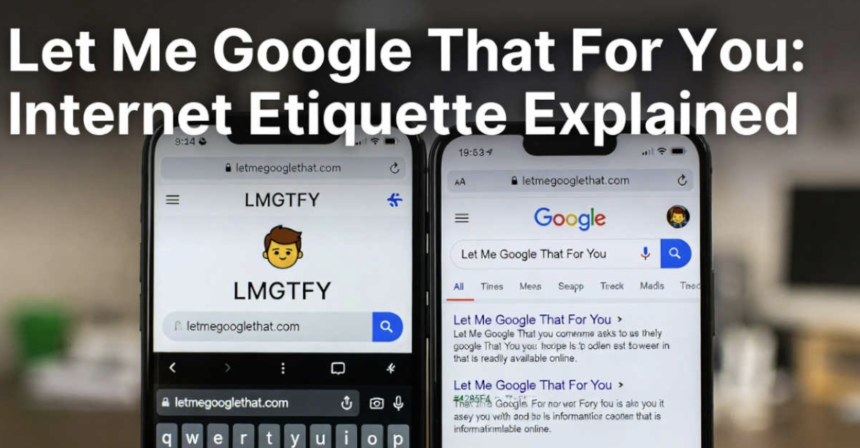
Learn what “let me google for u” means, how the LMGTFY tool works, why people use it, and tips on when it’s okay (or not) to send the link.
Key Takeaways
- “Let me google for u” is a playful, sarcastic way to say “search this yourself” using a special link.
- It started in 2008 as a joke website to help with easy questions.
- The tool makes a fun animation of typing your question into Google.
- It’s still working today in 2026 on sites like letmegooglethat.com.
- Use it carefully it’s funny with friends but can feel rude to some people.
Have you ever had someone ask you something super easy, like “What’s the biggest animal in the world?” “Seems simple enough to just look it up, right?” That’s exactly why “let me google for u” exists. It’s a clever internet joke that has been around for years. In this guide, I’ll explain everything in simple words—like I’m telling a friend so even a 10-year-old can get it. We’ll cover what it is, how it started, how to use it, and when it’s a good idea (or a bad one).
What exactly is “Let Me Google for U”?
“Let me google for u” is short for “let me Google that for you.” People say it (or send a link) when someone asks a question that Google can answer in seconds. Instead of typing out the answer, you give them a special link. When they click it, they see a funny little show of someone typing their exact question into Google, then it takes them to the real search results.
It’s the friendly version of, “Here, let me show you just how quick this is,” with a bit of humor. I remember the first time I got one in a chat it made me laugh and taught me to search first next time.
The Origins and History Behind the Phrase
The idea started before the website. As early as 2007, people on forums like MetaFilter and Snopes used the phrase “let me Google that for you” as a joke when someone asked something obvious.
Then, on November 18, 2008, two programmers, Jim Garvin and Ryan McGeary made it real. They built lmgtfy.com (Let Me Google That For You). It became super popular fast because everyone was tired of answering the same easy questions over and over.
The site got famous. It even made Time magazine’s list of best websites in 2012. Over the years, the original site changed, but the joke lives on through other versions.
How the Classic LMGTFY Tools Work
Today in 2026, one of the main places to use it is letmegooglethat.com. It’s simple and still full of sarcasm. Here’s how it works step by step:
- Go to the website.
- Type the question someone asked you (like “how tall is the Eiffel Tower?”).
- Click the button to make the link.
- You get a special URL to copy and send.
- When your friend clicks it, they see an animation like magic fingers typing the question into Google then it shows the real Google results.
The site says it’s “Made with sarcasm” and has a copyright from 2010 to 2026. It also lets you share the link on Facebook, Twitter, WhatsApp, or email. There’s even merch if you love the joke that much!
Another simple version is lmgtfy.app, but letmegooglethat.com has more fun extras right now.
Why & When People Drop the LMGTFY Link
People use this when questions feel too basic. Like in group chats, forums, or work emails. The goal? Save time and remind others they have Google on their phone.
Common Scenarios and Real-World Examples
- A friend asks, “What’s the movie time tonight?” → Drop the link in there and let them watch how rapidly Google finds it.
- In an online game forum, someone asks, “How do I jump?” → Honestly, you can’t go wrong with an LMGTFY link it’s the perfect mix of a little laugh and a useful nudge.
- Family chat: A cousin keeps asking simple facts → One gentle link can teach them to search.
From stories on Reddit and forums, lots of people in tech groups use it daily. One person said it cut down repeat questions in their team chat.
The Psychology of Lazy Questions
Sometimes people ask easy things because they’re chatting or feel lazy. Other times, they’re new to the internet. The link is like a friendly push: “You can do this yourself!”
But remember, it’s not always about laziness. Some folks just like talking to you.
Pros and Cons: Is It Helpful or Just Rude?
This trick can be great or hurtful. Let’s look at both sides.
Benefits of Encouraging Self-Searching
- It teaches people to find answers fast.
- Saves your time when questions repeat.
- Can be funny and make friends laugh.
Many users say it helped new people learn better searching.
Drawbacks and Criticism from Users
Some people find it mean. On places like Reddit and Quora, folks say it feels rude like you’re calling them dumb. It can scare new people away from asking questions.
In one discussion, someone felt bad after getting the link and stopped joining chats. It’s worth considering how your message might make someone else feel.
How to LMGTFY Without Being a Jerk
Want to try it? Do it kindly.
Step-by-Step Guide to Creating Links
- Visit letmegooglethat.com.
- Put in the question.
- Click to generate.
- Copy the link (you can shorten it too).
- Send it with a smile, like “Haha, try this! 😄”
Etiquette Tips to Avoid Backlash
- Use it with friends who get jokes.
- Just giving you a peek at how speedy this process is!
- Don’t use it for hard or personal questions.
- If someone seems upset, say sorry and answer normally.
From online talks, most agree: Context matters. Fun in a silly group? Okay. In a serious work email? Maybe not.
Myth-Busting Common Misconceptions
Let’s clear up wrong ideas.
It’s Not Always Insulting Context Matters
Lots think it’s always rude. But with the right people and a smile, it’s just playful. Many share stories of it becoming an inside joke.
Debunking Outdated Views on Search Etiquette
Some say asking easy questions is bad. But asking is how we learn! The link is one way to help, not the only way.
Alternatives and Comparisons
If LMGTFY feels too sassy, try these:
- Just say “Google it!” with a wink.
- Send a normal Google link.
- Answer if it’s quick and you’re happy to help.
Other joke sites exist for Bing or Wikipedia, but Google ones are the most famous.
Here’s a simple comparison:
| Tool/Option | How Sarcastic? | Teaches Searching? | Best For |
| LMGTFY Link | High | Yes (fun way) | Friends & jokes |
| Normal Google Link | Low | Yes | Anyone, polite |
| Just Answer It | None | No | When you want to help |
Actionable Checklist: Mastering “Let Me Google for U”
Try this quick list next time:
- Is the answer easy to find on Google? → Yes? Consider the link.
- Is the person a friend who likes jokes? → Go for it!
- Add something nice? → “Check this out 😊”
- They seem new or shy? → Help directly instead.
- After sending, follow up? → “Did that help?”
Building your own? Some people make shortcuts on their phone for fast links.
Frequently Asked Questions (FAQs)
Is “let me google for u” the text version of LMGTFY?
That’s correct. It’s just a common acronym that translates to “Let Me Google That For You.”
Can it be seen as rude in professional settings?
Yes, often. Better to answer or give a normal link at work.
What are alternatives if I don’t want to use Google?
Send a link to Bing or DuckDuckGo search, or just explain nicely.
Where did “let me Google that” actually come from?
The phrase started around 2007, and the website came in 2008 by Jim Garvin and Ryan McGeary.
Is the tool still working today?
Yes! Sites like letmegooglethat.com are active in 2026 with new copyright years.
How do I make it less rude?
Always add a friendly message and use it only for fun.
So, that’s the full story of “let me google for u” a silly internet tool that’s still making people smile (or roll their eyes) after all these years. It’s a reminder that most answers are just a quick search away. Next time someone asks something easy, you know what to do. Try it out gently and see how it goes!
For more fun internet stuff, check our related articles: Internet Etiquette Basics, Funny Search Tricks, How to Search Better, Dealing with Repeat Questions, Online Jokes Explained, and Helpful Tech Tips.
So, what’s your take funny jab or just plain mean? Let me know! 😊