
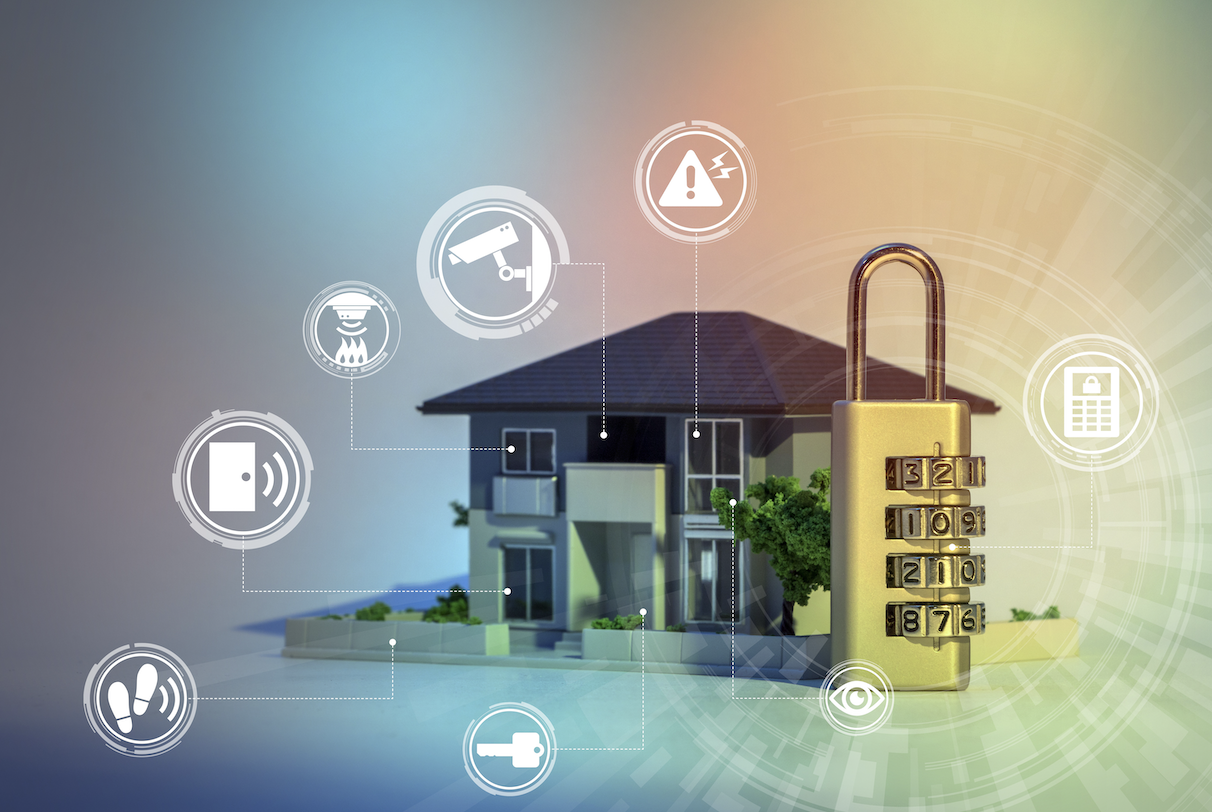
A family returned from a two-week holiday to discover their smart doorbell camera had been accessed by an unknown party who had been watching their comings and goings the entire time, all because they’d never changed the device’s default password after installation.
As smart home devices have multiplied throughout ordinary households, this kind of overlooked vulnerability has become increasingly common. This guide explains the real security risks involved and how to protect a connected home effectively.
Why Smart Home Devices Present Unique Security Challenges
Internet-connected devices, from smart doorbells to connected thermostats, often ship with weaker default security than traditional computers and phones, partly because manufacturers prioritise ease of setup and low cost over robust, ongoing security. Many of these devices also receive infrequent security updates compared to smartphones or computers, leaving known vulnerabilities unpatched for extended periods after they’ve been publicly identified.
- Default passwords are often never changed after initial device setup
- Many devices receive infrequent or no ongoing security updates
- A compromised device can serve as an entry point into an entire home network
- Cheaper devices from lesser-known manufacturers often carry weaker security practices
The Real Risks of an Unsecured Smart Home Network
- Unauthorised access to camera feeds, compromising household privacy directly
- A compromised device being recruited into a larger network of hijacked devices
- Attackers using a vulnerable device to access other devices on the same network
- Personal data collected by devices being exposed through inadequate security practices
Essential Steps for Securing Every New Smart Home Device
- Change default usernames and passwords immediately upon setup
- Enable automatic security updates wherever the device offers this option
- Register devices with the manufacturer to receive security notifications
- Review and adjust default privacy settings, which are often set to maximum data collection
Why Network Segmentation Provides an Important Extra Layer
Setting up a separate network specifically for smart home devices, isolated from computers and phones handling more sensitive information, prevents a compromised smart device from providing direct access to more sensitive parts of the home network. Many modern routers support this kind of network segmentation relatively easily, making it an accessible security improvement even for households without extensive technical expertise.
Evaluating Security Before Purchasing a New Smart Device
- Research the manufacturer’s track record on security updates and vulnerability response
- Check whether the device requires a mandatory account or supports local-only control
- Look for devices that clearly disclose their data collection and sharing practices
- Avoid unusually cheap devices from unknown manufacturers with no security track record
How Voice Assistants Introduce Their Own Distinct Privacy Considerations
Voice-activated smart home devices continuously listen for their designated wake word, raising legitimate questions about what audio gets recorded, stored, and potentially reviewed by the manufacturer or third parties. Reviewing and adjusting voice assistant privacy settings, including options to delete stored recordings regularly, helps address some of these concerns without requiring users to abandon voice-activated convenience entirely.
What to Do if You Suspect a Smart Device Has Been Compromised
- Immediately change the device’s password and any associated account credentials
- Check the device manufacturer’s website for specific incident guidance
- Update the device’s firmware to the latest available version immediately
- Consider replacing devices that no longer receive security updates from the manufacturer
Why Manufacturer Support Windows Matter Before Purchase
Smart home devices depend on ongoing manufacturer software support to patch newly discovered vulnerabilities, yet many manufacturers offer no clear commitment about how long that support will continue after a device is purchased.
A device that stops receiving security updates after a couple of years becomes progressively more vulnerable even if it continues to function normally, since newly discovered flaws in its underlying software are never patched. Checking a manufacturer’s stated support policy, or its track record with previous product lines, before purchase helps avoid investing in a device that will become a security liability sooner than expected.
The Privacy Trade-Offs Behind Convenient Smart Home Features
Many of the most convenient smart home features, such as a doorbell camera that recognises familiar faces or a speaker that learns household routines, depend on collecting and sometimes storing data about the people living in that home. What data a device collects, where it is processed, and how long it is retained allows for a more informed decision about which conveniences are worth the associated privacy trade-off. Reading a device’s privacy policy before purchase, while often tedious, reveals meaningful differences between manufacturers that market similar features very differently in practice.
Planning for Smart Home Device Failures and Outages
Smart home devices depend on continued internet connectivity and, in many cases, a manufacturer’s cloud servers remaining operational, which means a home automation setup can fail in ways a traditional switch or lock never would.
An internet outage, a server outage on the manufacturer’s end, or a company going out of business entirely can all leave supposedly smart devices unresponsive at an inconvenient moment. Choosing devices that retain basic manual functionality when disconnected, and avoiding making essential functions like door locks entirely dependent on connectivity, provides a reasonable fallback when the smart layer inevitably experiences problems.
The Growing Role of Local Processing in Smart Home Privacy
A meaningful shift in the smart home industry involves moving certain processing tasks, such as voice recognition or motion detection, from cloud servers to the device itself, reducing how much raw data needs to travel to and be stored by a third party.
Devices that process data locally generally offer stronger privacy protections since sensitive information like conversations or video footage never leaves the home network in the first place. When comparing similar smart home products, checking whether a manufacturer offers local processing options provides a meaningful signal about how seriously that manufacturer treats user privacy.
Coordinating Multiple Smart Home Ecosystems Under One Roof
Many households end up with smart devices from several different manufacturers and ecosystems, whether Google, Amazon, Apple, or a smaller specialist brand, often because different devices were purchased at different times for different needs. This fragmentation can create both usability friction, requiring multiple apps to manage one home, and security friction, since each additional ecosystem represents another set of accounts and access points to secure properly. Newer cross-platform standards aim to unify control across these different ecosystems, though adoption remains uneven across existing devices already installed in most homes.
Evaluating Smart Home Hubs as a Central Point of Control
A dedicated smart home hub, separate from individual device apps, can simplify managing a growing collection of connected devices by providing a single interface and, in many cases, enabling automations that work across devices from different manufacturers. This centralisation offers convenience but also creates a single point of failure worth considering carefully, since a compromised or malfunctioning hub can potentially affect every connected device simultaneously.
Choosing a hub from an established manufacturer with a strong security track record, and keeping its software updated diligently, matters proportionally more given how much control is concentrated in that single device.
The Long-Term Cost Considerations Beyond the Initial Purchase
Smart home devices often carry ongoing costs beyond their initial purchase price that are easy to overlook when comparing options, including optional cloud storage subscriptions for camera footage, replacement costs for devices that become obsolete faster than traditional equivalents, and the electricity consumption of devices that remain constantly connected and listening or watching.
Factoring these ongoing costs into a total cost comparison, rather than focusing solely on the upfront purchase price, gives a more accurate picture of what a fully connected smart home costs to maintain over the years a household typically keeps such devices installed.
How Insurance Providers Are Adapting to Smart Home Technology
Some home insurance providers have begun offering premium discounts for homes with certain smart security devices installed, such as monitored smoke detectors or verified security systems, recognising that these devices can reduce claim frequency or severity in specific circumstances.
At the same time, insurers are developing more specific policy language addressing smart home device failures and data breaches, reflecting growing recognition that connected homes introduce new categories of risk that traditional home insurance policies were not originally designed to address. Reviewing how a specific policy treats smart home technology, in both directions, offers a fuller picture of the practical implications of a fully connected home.
Preparing a Smart Home for Extended Absences
An empty home during an extended absence changes the calculus around several smart home security decisions, since features that might otherwise represent overkill, such as detailed camera monitoring or unusual activity alerts, become valuable while a homeowner cannot personally check on the property directly.
Preparing a smart home appropriately for extended absence means testing that all critical devices maintain reliable connectivity, arranging for a trusted local contact who can respond to alerts if needed, and reviewing camera coverage to confirm it captures the entry points that matter most rather than assuming existing camera placement adequately covers an empty property over an extended period.
The Environmental Footprint of an Expanding Smart Home
A growing number of connected devices in a home carries a cumulative environmental footprint worth considering alongside the security and privacy factors more commonly discussed, including the energy consumption of devices that remain constantly powered and connected, the electronic waste generated as devices reach end of life faster than traditional equivalents, and the resource cost of manufacturing an ever-growing number of individual connected devices rather than fewer, more capable ones.
Choosing devices designed for longevity and repairability, and being deliberate about which devices add meaningful value rather than acquiring smart versions of every possible household object, moderates this environmental impact without requiring abandoning smart home technology altogether.
Preparing for the Next Generation of Smart Home Standards
The smart home industry continues evolving toward greater interoperability and improved security baked into new device standards, meaning devices purchased today may eventually be superseded by newer standards offering better security and cross-compatibility.
Rather than avoiding smart home technology entirely while waiting for a more mature standard, a practical approach involves choosing devices from manufacturers with a demonstrated commitment to supporting emerging standards through software updates, which preserves some ability to benefit from future improvements without needing to replace an entire existing smart home setup all at once.
Warranty and Support Differences Across Smart Home Brands
Warranty terms and ongoing customer support quality vary across smart home device manufacturers, with some established brands offering multi-year warranties and responsive support channels while newer or lower-cost manufacturers sometimes offer minimal warranty coverage and difficult-to-reach support when problems inevitably arise.
Researching a manufacturer’s actual support reputation, through independent reviews rather than marketing claims alone, before purchasing devices intended for security-critical functions like door locks or cameras helps avoid the frustration of being unable to get help when a covered device eventually malfunctions or requires troubleshooting.
How Smart Home Adoption Patterns Vary by Household Type
Adoption of smart home technology varies across different household types, with some finding devices like smart locks and video doorbells valuable for coordinating deliveries and access for family members or caregivers, while others find greater value in energy management devices that reduce utility costs over time.
Recognising which specific smart home benefits matter for a particular household’s daily needs, rather than adopting devices simply because they represent current trends, helps direct a limited smart home budget toward devices that will see regular use rather than becoming forgotten additions within the home.
How Renters Can Approach Smart Home Security Differently Than Homeowners
Renters face specific constraints homeowners typically do not, since permanently installed smart devices like hardwired video doorbells or built-in security systems often require landlord permission or become impractical investments in a property the renter will eventually leave behind.
Battery-powered, easily removable devices such as portable door and window sensors, plug-in smart plugs, and standalone cameras that do not require permanent installation offer renters meaningful smart home security benefits without the complications of modifying a property they do not own, providing a practical middle path between forgoing smart home benefits entirely and making investments unsuited to a rental situation.
How Firmware Update Habits Determine Long-Term Device Security
A smart device’s security depends heavily on how consistently its firmware receives and applies updates over its operating lifetime, yet many users never actively check whether a device is running current firmware after the initial setup process completes.
Enabling automatic updates where the option exists, and periodically checking manually for devices that do not support automatic updating, closes a security gap that otherwise widens steadily over years as newly discovered vulnerabilities in outdated firmware remain unpatched on devices their owners have effectively forgotten to maintain.
Why Guest Network Access Deserves Its Own Security Consideration
Visitors connecting personal devices to a home network, even briefly, introduce a variable a household cannot fully control, since a guest’s phone or laptop may carry its own security vulnerabilities entirely unrelated to the smart home devices already secured. Setting up a separate guest network specifically for visitor devices, keeping it isolated from the primary network hosting smart home devices, prevents a compromised guest device from becoming an unintended pathway into an otherwise carefully secured smart home setup.
A Final Word on Keeping Smart Home Security Manageable
Securing a smart home does not require mastering every possible technical safeguard at once, and a household that consistently applies a handful of fundamental practices, such as strong unique passwords, timely firmware updates, and network segmentation, achieves better protection than one attempting an overwhelming checklist and abandoning the effort partway through. Building good habits gradually, one device and one practice at a time, produces a more secure smart home over time than any single, exhaustive setup session.
Final Thoughts
Smart home devices offer convenience but introduce security responsibilities that many households overlook until something has already gone wrong. Taking basic steps like changing default passwords, enabling automatic updates, and segmenting network access reduces the real risks that come with an increasingly connected home.
Frequently Asked Questions
How often should smart home device passwords be changed?
Changing the default password immediately upon setup matters most, and periodic updates afterward, following any known security incident affecting that device, provide additional protection.
Are expensive smart home devices always more secure than cheaper ones?
Not necessarily, though established manufacturers with a strong reputation generally invest more consistently in security updates and vulnerability response than lesser-known, budget-focused competitors.
Can a smart home device be hacked without an obvious sign?
Yes, many compromises go unnoticed for extended periods, since a hacked device often continues functioning normally from the user’s perspective while quietly being accessed or misused.
Should smart home devices be connected to a separate network?
Yes, network segmentation provides a meaningful extra layer of protection, limiting what a compromised device can access even if that specific device does end up compromised.
Do smart home devices need to be replaced regularly for security reasons?
Devices that stop receiving security updates from their manufacturer should generally be replaced eventually, since accumulating unpatched vulnerabilities gradually increases risk over time.
How can someone check if their router supports network segmentation?
Checking the router manufacturer’s documentation or settings interface for a feature often called a guest network or VLAN support reveals whether this segmentation option is available.