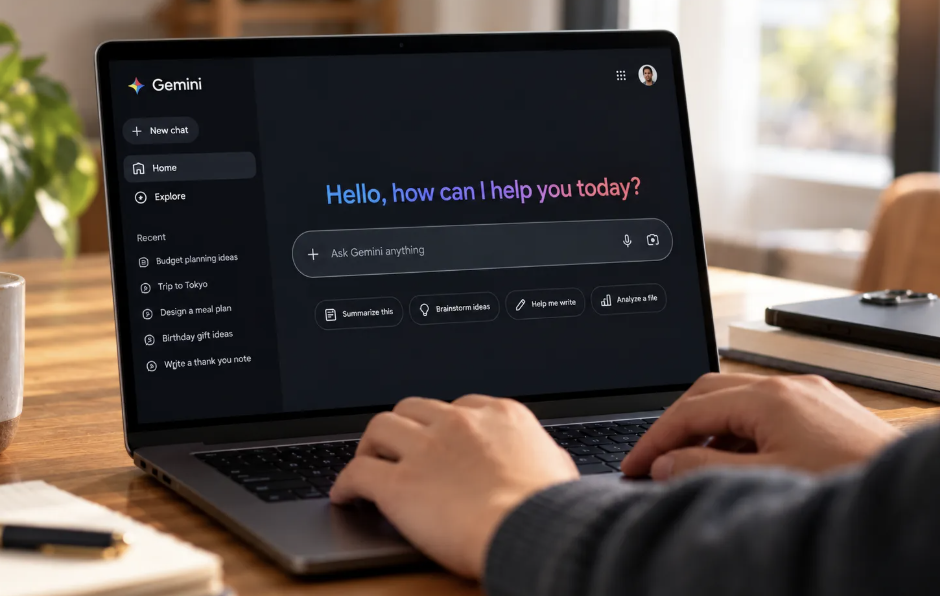
If you pay for Google AI Plus, the Pro models stop being selectable on November 13, 2026, in both the Gemini app and AI Mode in Google Search. The plan keeps the Flash-Lite and Flash models, and Pro access moves to AI Pro and higher tiers. For most casual users, the answer is to keep it only if the other perks still earn their price.
In this article, we will explore who should keep, downgrade or upgrade, what the move costs, and what to check first.
What Changes for Google AI Plus Subscribers
According to 9to5Google, which quoted Google’s email to subscribers, Pro models will no longer be offered to Google AI Plus members from November 13. The plan stays at $4.99 a month and keeps Flash-Lite and Flash. Chats you started with a Pro model are not lost: you can continue them with a different model.
Pro access now sits with AI Pro, which costs $19.99 a month and includes Gemini 4 Argon, a model also included in AI Ultra. The free plan remains and includes Flash-Lite. Google’s email also says you can manage or cancel anytime and points to a Help Center article for details.
Limits of the Reports on Google AI Plus
Treat the timing with some care. The date rests on Google’s email as quoted by one outlet, and that outlet noted that only a few users had reported receiving the email. Other outlets appeared in a search listing with the same story, but their wording was not checked, so confirm in Google’s Help Center and your account.
The reports also do not list usage limits for each tier. That matters, because a Flash model with generous limits can serve you better than a Pro model you ration. Anything beyond the reports below is flagged as general guidance.
Keep, Downgrade or Upgrade: A Decision Table
Use this table as a starting point. It is a general framework, not financial advice, and the right answer depends on how you use the service.
| If you are | Likely move | Why |
| A light user who mostly asks quick questions | Keep Google AI Plus or move to free | Flash-Lite and Flash cover everyday questions, and the free plan includes Flash-Lite |
| Someone who pays mainly for storage or YouTube Premium | Keep Google AI Plus | The Pro change does not touch those extras, though you should confirm in your account |
| Someone who picked a Pro model for most serious work | Test Flash first, then consider AI Pro | You may find the difference small, or you may find you truly miss it |
| A heavy user who needs Gemini 4 Argon | Upgrade to AI Pro | Pro access and Gemini 4 Argon sit at AI Pro and above |
| Someone who rarely opened the model picker | Do not pay extra | A model name is a poor reason to spend more |
Before dropping to free, look at what cloud storage and other extras come with your current plan, because the reports say subscriptions bundle Google Workspace storage and extras such as YouTube Premium, but they do not spell out each tier.
The Cost of Moving to AI Pro, in Simple Arithmetic
The price gap is easy to calculate. This is simple arithmetic using the prices reported, not a quote from Google, and it ignores any taxes or offers that apply to your account.
| Plan | Monthly price | Difference from AI Plus |
| Google AI Plus | $4.99 | Baseline |
| AI Pro | $19.99 | $15.00 more a month |
| AI Pro over twelve months | $15.00 times 12 | $180 more a year |
So the real question is whether Pro models are worth $180 a year more to you. If you used them daily for work that pays, the answer may be yes. If you used them out of habit, the answer is probably no.
A What-to-Check List Before November 13
Start with your own history. Open your recent Gemini chats and note which ones used a Pro model, then write down what each task was: a summary, a piece of code, a long document, a casual question. That list tells you more than any benchmark can.
Next, spend a week on Flash. Since Pro will not be selectable anyway, you can run your normal tasks on Flash now and see which results disappoint you. Note every time you wished for something better; three or four notes in a week is a real signal.
Then check the perks you use. Look at your storage use, whether you watch YouTube Premium, and whether any other bundled extra matters to you. If those carry the value, AI Plus may still be worth keeping even without Pro choice, and if none of them do, the free plan becomes more attractive.
Finally, compare the monthly cost against what you got. Subscription changes are made in your Google account settings, so check your plan, renewal date and cancellation options there rather than relying on this article. Do not wait for the last moment, since a renewal just after the change is easy to regret.
Ignore the Upgrade Nudge
A feature disappearing from your tier is a nudge, not a reason to upgrade. Also ignore claims about exact performance gaps between Flash and Pro that you cannot test yourself, since the reports do not include any comparison. Your own week of testing beats secondhand opinions.
Conclusion
Google AI Plus is not broken by this change, but it is a smaller deal than it was. Keep it if you value the storage and extras, drop to free if you used almost none of them, and upgrade to AI Pro only if your tests show Flash falling short on work that matters.
The reported timing is November 13, so the sensible window to decide is now, and your account settings are the final word.
Frequently Asked Questions
When Does Google AI Plus Lose Pro Models?
According to Google’s email as quoted by 9to5Google, the change takes effect on November 13, 2026. Only that email supports the date, so confirm it in your account or Google’s Help Center.
Can I Still Use My Old Pro Chats After November 13?
Yes, the reports say chats that used a Pro model can be continued with a different model. You just will not be able to pick a Pro model yourself on AI Plus.
How Much More Does AI Pro Cost Than Google AI Plus?
AI Pro is $19.99 a month against $4.99 for AI Plus. As simple arithmetic, that is $15.00 more a month, or $180 more a year.
Does the Free Plan Include Gemini Flash?
The reports say the free plan includes Flash-Lite, while AI Plus keeps Flash-Lite and Flash. Check Google’s plan page for what the free tier offers now.
Should I Cancel Google AI Plus?
That depends on whether you use the storage and extras that come with it. Test Flash for a week, review your perks, and decide in your Google account settings. This is general information, not financial advice.