How to Track a Flight on Your iPhone Without Any App
Tracking flights has become an essential part of modern travel. Whether we are preparing for an upcoming journey, coordinating an airport pickup, or simply monitoring the progress of a loved one’s flight, real-time flight tracking offers peace of mind and precise information. What many users still overlook is that iPhone already includes a powerful, built-in flight tracking feature, eliminating the need to download third-party apps.
Apple has quietly integrated intelligent flight tracking into iOS and macOS through its advanced data detector technology, allowing users to view live flight details instantly. Below, we explain in detail how to track flights on iPhone, iPad, and Mac using native Apple features, ensuring accurate, fast, and seamless results.
Built-In Flight Tracking on iPhone Explained
Apple’s operating system uses data detectors to automatically recognize structured information such as flight numbers, dates, addresses, and times. When a flight number appears in the right context, iOS converts it into an interactive element that provides instant access to flight status details.
This functionality works across Messages, Spotlight Search, Mail, Notes, and even Safari, making it one of the most underrated travel tools on the iPhone.
Track Flights Directly in iPhone Messages
One of the easiest ways to track a flight on iPhone is through the Messages app.
How It Works
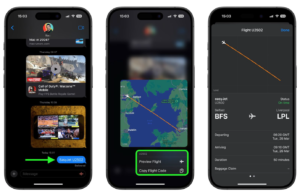
When someone sends a flight number via iMessage or SMS such as U2502 iOS automatically underlines the number. By pressing and holding the underlined flight code, we can instantly access live flight information.
What Information Is Available
The flight preview card provides:
- Live flight path displayed on a map
- Departure and arrival airports
- Scheduled and actual times
- Delay notifications
- Gate and terminal details
- Baggage claim information (available at select airports)
- Direct links to Apple Maps and the airline’s website
This real-time snapshot allows us to monitor a flight’s progress without switching apps.
Pro Tip for Accurate Detection
To improve detection accuracy, include the airline name along with the flight number. For example:
EasyJet U2502 instead of just U2502.
This ensures iOS correctly identifies the flight and displays complete tracking data.
How to Track Flights Using Spotlight Search on iPhone and iPad
Spotlight Search is another powerful way to track flights on iOS devices.
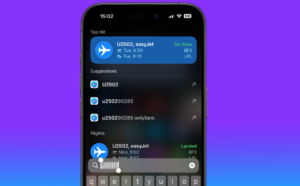
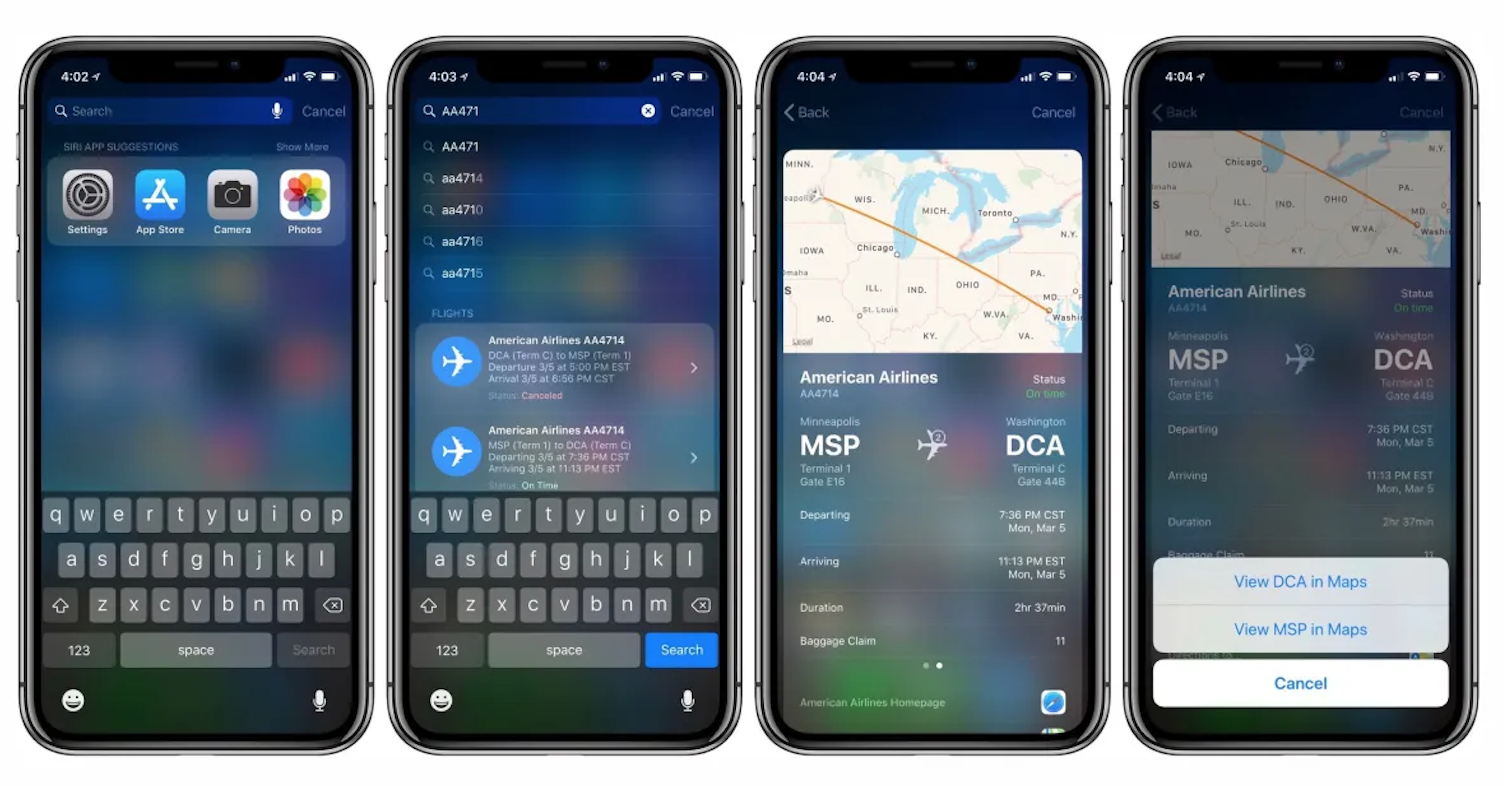
Steps to Track a Flight
- On your Home screen, swipe down starting from the center area
- Type the flight number into the search bar
- Tap the flight information card that appears
Within seconds, Spotlight displays:
- Live flight status
- Current location in the air
- Estimated arrival time
- Delay alerts
- Airport details
This method is especially useful when flight numbers are copied from emails, calendars, or booking confirmations.
Track Flights from Mail, Notes, and Safari
Apple’s data detectors work beyond Messages and Search.
- Mail App: Flight numbers in confirmation emails become tappable links
- Notes App: Saved itineraries allow instant tracking
- Safari: Highlighted flight numbers on web pages trigger flight previews
This cross-app integration makes Apple’s flight tracking system exceptionally efficient for frequent travelers.
How to Track Flights on a Mac Using macOS
Apple extends the same flight tracking functionality to macOS, making it just as easy to track flights from a MacBook or iMac.

Using Spotlight on macOS
- Press Command + Spacebar to open Spotlight
- Enter the flight number
- Select the flight result from the dropdown
The macOS flight preview includes:
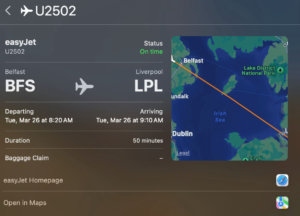
-
Live flight trajectory map
- Departure and arrival times
- Airport and terminal details
- Delay notifications
- Airline information and website links
This feature is especially valuable for office environments, travel planning, and professional coordination.
Why Apple’s Built-In Flight Tracking Is Better Than Apps
Many travelers rely on third-party flight tracker apps, but Apple’s native solution offers several key advantages.
No Installation Required
There is no need to download or update apps, saving storage space and time.
Privacy Focused
Apple does not require user accounts or personal data for flight tracking, ensuring a privacy-first experience.
Fast and Lightweight
Flight details load instantly, without ads, popups, or unnecessary features.
Deep System Integration
Because flight tracking is embedded into iOS and macOS, it works seamlessly across Apple’s ecosystem.
Supported Airlines and Accuracy
Apple sources flight data from reliable aviation databases, ensuring coverage across major international and regional airlines. While coverage may vary by region and airline, most commercial flights are supported.
Accuracy includes:
- Real-time position tracking
- Up-to-date delay information
- Reliable arrival estimates
For travelers, this level of precision rivals dedicated aviation apps.
Best Use Cases for iPhone Flight Tracking
Apple’s flight tracking tools are ideal for:
- Airport pickups and drop-offs
- Monitoring connecting flights
- Travel planning and coordination
- Business travel logistics
- Keeping family and friends informed
With just a flight number, we gain immediate insight into flight progress anywhere in the world.
Troubleshooting Flight Tracking Issues
If flight details do not appear:
- Ensure the flight number is correct
- Include the airline name
- Check for active internet connectivity
- Try using Spotlight Search instead of Messages
In most cases, iOS detects the flight instantly once the information is properly formatted.
Track Flights Across Apple Devices Seamlessly
One of Apple’s greatest strengths is ecosystem continuity. We can:
- Track flights on iPhone
- Continue monitoring on iPad
- Access details on Mac
All without syncing apps or accounts.
Final Thoughts
Apple has transformed flight tracking into a simple, built-in experience that is fast, accurate, and privacy-friendly. With intelligent data detectors embedded directly into iOS and macOS, tracking flights has never been easier.
By using Messages, Spotlight Search, Mail, and macOS Spotlight, we can access real time flight data instantly, without relying on external services. This native functionality makes the iPhone an even more powerful travel companion.