

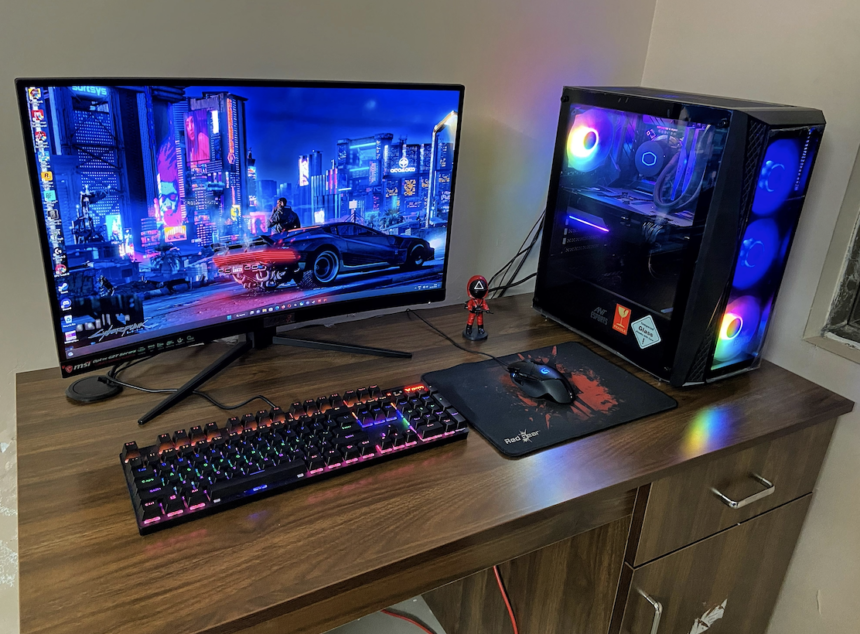
Gaming in 2026 does not have to be expensive. Many people still believe that you need thousands of dollars to enjoy modern PC games, but that is no longer true. With smart planning and the right parts, Building a budget gaming PC is easier and more rewarding than ever.
Thanks to better competition among hardware brands and smarter optimization in games, budget systems can now deliver smooth performance. You can enjoy popular titles, competitive esports games, and even some AAA releases without breaking the bank.
This guide is written for beginners and casual gamers who want strong performance at a reasonable price. Everything is explained in simple English, step by step, so you can build with confidence and avoid costly mistakes.
Why Building a Budget Gaming PC Makes Sense in 2026
Buying a pre-built gaming PC often means paying extra for branding, assembly, and parts you don’t really need. When you build your own system, you control every detail. That means better value for your money.
In 2026, budget components are more powerful than high-end parts from just a few years ago. CPUs, GPUs, and SSDs have all improved in performance and efficiency. This makes building a budget gaming PC a smart choice for gamers who want quality without overspending.
Another big advantage is upgrade flexibility. When you build your own PC, you can upgrade parts later instead of replacing the whole system. This saves money in the long run.
Setting a Realistic Budget Before You Start
Before buying any parts, you need to decide how much you can spend. A clear budget keeps you focused and prevents impulse purchases.
A good budget gaming PC in 2026 usually falls between low and mid-range pricing. This range is perfect for 1080p gaming and even light 1440p gaming with optimized settings. Spending more does not always mean better performance for your needs.
Always leave a small portion of your budget for unexpected costs. Cables, fans, or small upgrades can add up quickly if you don’t plan ahead.
Choosing the Right CPU for Budget Gaming
Your CPU is basically the brain of your PC. When it comes to gaming, you don’t need the absolute most expensive processor, what you really want is one that strikes a great balance between performance and price.
Modern budget CPUs offer multiple cores and strong single-core performance. This is important because many games rely on both. Look for CPUs that handle gaming and basic multitasking smoothly.
In 2026, even budget processors pack enough power to handle gaming, streaming, and web browsing all at once making them perfect for both casual players and serious competitive gamers.
Picking a Budget Friendly Graphics Card
The graphics card is the most important part of any gaming PC. It directly affects frame rates, resolution, and visual quality.
When Building a budget gaming PC, focus on value instead of chasing the latest model. Slightly older GPUs often deliver excellent performance at a much lower price. They can still run modern games very well at medium to high settings.
Always check real-world benchmarks instead of marketing claims. This helps you choose a GPU that fits your budget and gaming goals.
How Much RAM Do You Really Need?
RAM is often misunderstood. More is not always better for gaming.
For budget gaming in 2026, a moderate amount of RAM is enough for most titles. Fast and reliable memory helps games load faster and run smoother, especially when multitasking.
Make sure to use two RAM sticks instead of one. This improves performance and is a simple way to get more value without spending extra money.
Storage: Speed vs Capacity on a Budget
Storage affects loading times and overall system responsiveness. Fast storage makes a big difference in modern games.
Solid-state drives (SSDs) are now very affordable and should be your top priority. Even a modest-sized SSD delivers a massive improvement in gaming performance compared to traditional hard drives.
If you need more space for games and files, you can add extra storage later. Starting with fast storage is a smart move when Building a budget gaming PC.
Choosing the Right Motherboard
The motherboard connects all your components. It does not increase gaming performance directly, but it affects stability and upgrade options.
You don’t need an expensive premium motherboard for a budget build. Just choose one that properly supports your CPU, desired RAM speed, and storage setup. Extra fancy features are a bonus, not a must-have.
A reliable motherboard ensures your system runs smoothly and allows future upgrades without problems.
Power Supply: Don’t Cut Corners Here
The power supply is one of the most important and often overlooked parts. A low-quality power supply can damage your entire system.
Choose a reliable power supply from a trusted brand. It should provide enough power for your current build and future upgrades. Efficiency ratings matter, even on a budget.
A good power supply protects your investment and keeps your system stable during long gaming sessions.
Picking a Case That Fits Your Needs
A PC case is not just about looks. It affects airflow, cooling, and ease of building.
Budget cases in 2026 offer good airflow and simple designs. Make sure the case supports your motherboard size and graphics card length.
Good airflow keeps your components cool and improves performance. This is especially important when gaming for long hours.
Cooling: Stock vs Aftermarket
Many budget CPUs come with stock coolers that are good enough for gaming. You don’t always need an expensive aftermarket cooler.
However, good airflow and proper installation are important. Make sure fans are placed correctly to keep temperatures under control.
If you plan to upgrade later, you can always add better cooling. Start simple and upgrade only if needed.
Operating System and Drivers
Once your PC is built, you need an operating system. Most gamers choose Windows because of its wide game support.
After installing the OS, update all drivers. Graphics drivers, chipset drivers, and system updates improve performance and stability.
Keeping your system updated is a simple but effective way to get the most out of Building a budget gaming PC.
Common Mistakes to Avoid
Many beginners overspend on parts that don’t improve gaming performance. Fancy RGB lights and premium accessories look nice but don’t increase frame rates.
Another common mistake is poor compatibility checking. Always make sure parts work together before buying.
Patience is key. Take your time, compare prices, and read reviews before making decisions.
Performance Expectations for a Budget Gaming PC in 2026
A well-planned budget gaming PC can handle popular esports games smoothly. Titles like shooters, racing games, and strategy games run very well at 1080p.
Many modern AAA games are also playable with optimized settings. You may not get ultra graphics, but the experience will still be enjoyable and smooth.
The goal is balance, not perfection. Smart choices lead to excellent real-world performance.
Future-Proofing on a Budget
You don’t need to future-proof everything at once. Focus on parts that are easy to upgrade later, like RAM and storage.
Picking a solid motherboard and a reliable power supply makes future upgrades much easier. It lets your system grow and evolve as your needs change.
Building a budget gaming PC is not a one-time decision. It’s a starting point that can evolve over time.
Final Thoughts: Build Smart, Game Better
Building your own gaming PC in 2026 is one of the best ways to get high performance without overspending. With careful planning, you can create a system that delivers great gaming experiences at a reasonable cost.
The key is balance. Choose parts that work well together and focus on real performance instead of hype. This approach saves money and avoids frustration.