
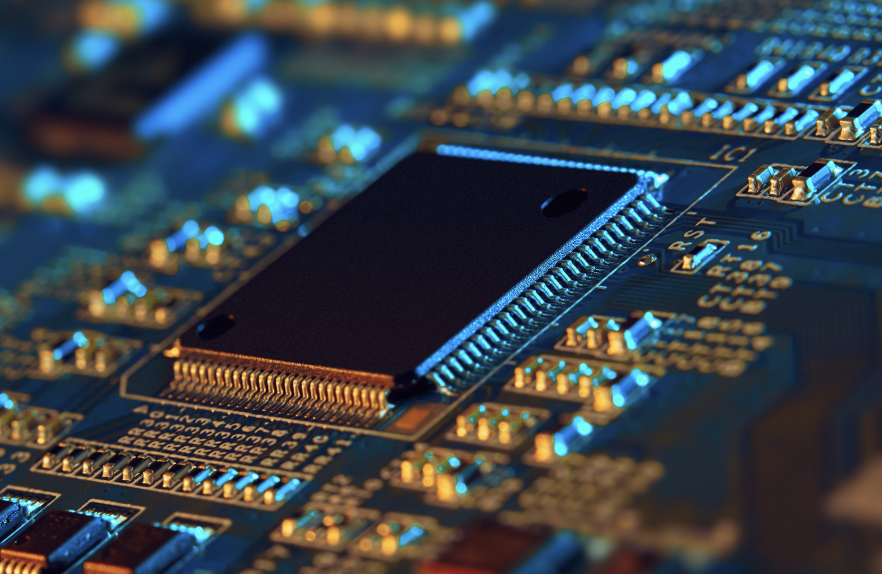
Memory is the quiet component that decides whether a laptop feels fast or sluggish and whether a phone has room for your photos. Right now it is getting more expensive, and the increase lands on ordinary shoppers who never planned to buy anything exotic.
In this article we will explore what the latest price reports say, why chipmakers are steering supply elsewhere, how phones and PCs are affected, and how to decide what to buy and when.
The Price Jumps Reported for the Second Quarter
A report from the Digital Citizen site, which relied on figures from the research firm Sigmaintell, put numbers on what shoppers had been sensing. Comparing the second quarter of 2026 with the first, average prices for several common memory products rose sharply. A 16 GB module of the older DDR4 type climbed from about 137 dollars to about 207 dollars, an increase of roughly 51 percent. A 512 GB NVMe solid state drive, the kind that sits on a laptop motherboard, was reported at 126.3 dollars, up about 54 percent.
The phone side looked worse. According to the same report, a 256 GB phone storage part moved from about 31 dollars to 62.7 dollars, a rise of around 103 percent, which is a doubling in a single quarter. The combined memory-and-storage packages used in many mid-range phones, called uMCP, went from 72.5 dollars to 150.4 dollars, about 107 percent more. Even the raw 16 Gb DRAM chips that module makers buy rose from 19.2 dollars to 28.5 dollars, about 49 percent.
These are average prices reported by one research firm and relayed by one news outlet, so treat them as a direction rather than a quote for any shop you visit. Retail prices lag contract prices, bundles hide changes, and promotions can mask a rise for a few weeks. Still, the pattern is consistent across every category listed: memory of nearly every type cost about half again as much, or more than twice as much, within roughly three months.
Why Component Prices Reach You Late
Memory chips are sold in bulk contracts between manufacturers and the companies that build modules, drives, phones and laptops. When contract prices rise, the finished product maker first absorbs part of the increase from stock bought earlier. Only when that cheaper stock runs out do shelf prices move, or the specification quietly changes instead.
That second path matters. A manufacturer who does not want to raise a headline price can keep it flat and ship a model with less memory, or drop a free storage upgrade from a bundle. If you are comparing two products across a few months, always compare the full specification rather than the price tag alone.
Chipmakers Are Chasing AI Server Demand

The cause given in the report is a shift in priorities at the companies that make memory. Data center and AI server products carry higher profit margins than the memory that goes into consumer devices, so manufacturers have been moving production capacity toward them. Memory fabrication plants cannot be switched between product types overnight, and building new ones takes years, so every wafer committed to server products is a wafer not available for a laptop or a phone.
Nothing about this is a conspiracy or a defect. It is an ordinary business decision in a market where a few large producers supply almost everything, and where customers building AI infrastructure are willing to pay more and sign larger orders. Consumer devices, with thin margins and price-sensitive buyers, end up at the back of the queue.
How Long It May Last
The research firms cited in the report warn that supply could stay tight through 2027 or even 2028. That is a forecast, and forecasts about semiconductor cycles have a long record of being wrong in both directions. Memory has historically swung between shortage and glut, and new factory capacity, a slowdown in AI spending, or weaker consumer demand could bring prices down sooner than predicted.
A practical reading is to plan as if prices will stay elevated for a good while, but not to assume they will keep climbing at the quarterly pace in the report. Rises that steep rarely continue in a straight line. If your purchase can wait without cost, waiting is a reasonable gamble, but it is a gamble, and the next section explains why some purchases cannot wait.
Why Consumer Products Take the Hit
Think of it as shelf space. A memory maker with a limited number of production lines has a choice between a product that sells to a handful of data center operators at a high price and a product that sells in huge volumes to phone and PC makers at a lower one. Unless the consumer price rises enough to compete, the lines go to the better-paying customer. Prices of consumer memory therefore have to climb until they are attractive again, and that is the climb you are seeing.
DRAM, Flash and the Labels on a Spec Sheet
Shoppers see the word memory used for two different things, and the shortage affects both. DRAM is the working memory, usually called RAM, where your computer keeps the programs and files it is using right now. It is fast, it forgets everything when the power goes off, and it is what the 16 Gb chips and the 16 GB modules in the report are made of. Flash, often called NAND, is the long-term storage inside solid state drives and phones, and it keeps data without power.
Spec sheets blur the two on purpose, because a bigger number sounds better. A phone listed with generous memory may mean working memory, storage, or both, and a laptop described with a large number could be showing the drive size rather than the RAM. Read the line items one by one, and if a listing does not separate them, treat that as a reason to look at a different seller.
What the Packages Are
The uMCP packages named in the report combine working memory and flash storage in one chip, which saves space and cost inside mid-range phones. Because the two are sold as a single part, a price jump in either component raises the whole package, and phone makers cannot swap in a cheaper alternative midway through a production run. That helps explain why the report shows these packages rising by more than the plain DRAM chips did.
Why Speed Ratings Matter Less Than Capacity
Marketing leans heavily on speed generations, yet for ordinary tasks the amount of memory and the drive size shape your experience more than a faster rating does. Paying extra for the fastest drive type makes sense for video editors who move enormous files all day. For browsing, office work and streaming, a mainstream drive of adequate size is indistinguishable in daily use, and in a shortage it is the smart place to save.
Phones and Thin Laptops Feel It First
The report describes mobile memory as under even more pressure than the PC kind, and the price table supports that, since the phone storage and combined packages roughly doubled while PC memory rose by around half. The reason is simple: phone makers solder memory onto the board and buy it in fixed combinations, so they cannot shop around for cheaper loose modules the way a PC builder can.
The expected effect, according to the report, is higher prices or lower base specifications at the same price tier. In plain terms, the phone or laptop that used to come with a generous amount of storage for a given price may arrive with less, and a more expensive tier may be required to match last year’s baseline.
What Shoppers Will Notice in Phones
Expect base models to keep the entry storage size while the step up to the next size costs more than it used to. Mid-range phones, where margins are slimmest and memory is a large share of the bill of materials, are the most exposed. Some makers may hold the price and cut something else, such as a bundled charger, a camera feature, or the amount of working memory.
A simple test is to look at what the storage upgrade costs at the point of sale. If moving up one storage tier now costs a large sum, ask whether you could live with the smaller size plus a cloud plan or an external drive. For many people the upgrade price now exceeds a year or two of cloud storage fees.
What Shoppers Will Notice in Laptops
Thin laptops frequently solder their memory to the board, which means the amount you buy on day one is the amount you keep. Those models are where overpaying hurts most, because the memory upgrade is priced by the manufacturer and cannot be redone later. Larger laptops and desktops that use removable modules give you the option of buying the cheapest acceptable configuration now and adding memory later, which is a useful hedge when prices are high today and might fall.
Checking whether memory is removable is one of the most valuable questions you can ask. The specification page or a teardown video will usually say whether there are slots or whether the memory is part of the board.
Check How Much Memory You Really Use
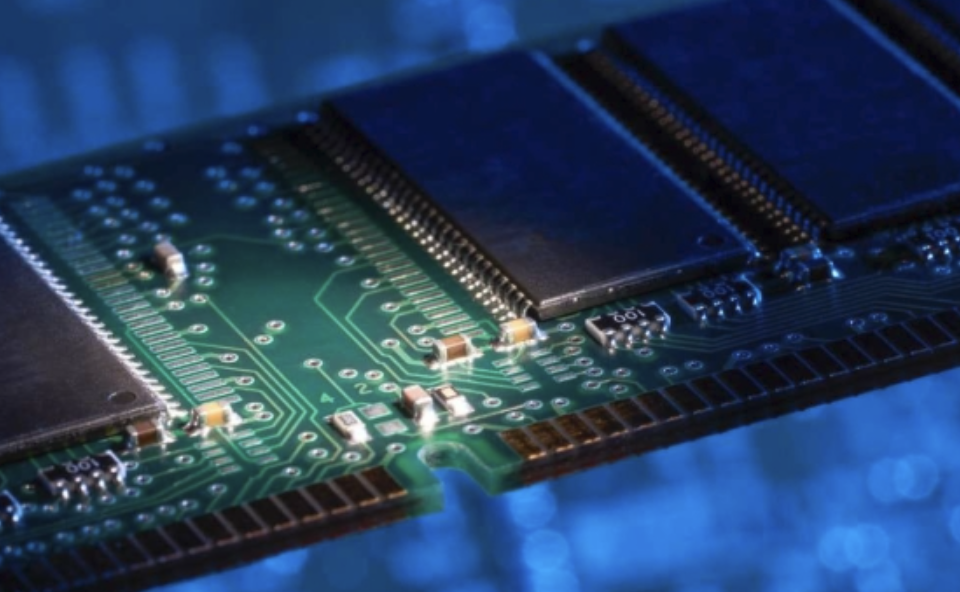
Most people overspend on memory in a shortage because they buy the largest number to feel safe. A better habit is to measure what you use before paying for more, since the right capacity depends on your work and not on a marketing tier.
On a Windows PC
Open Task Manager, go to the performance tab and choose memory. Leave your normal set of programs open for a working day, with the browser tabs you really keep, and glance at the in-use figure several times. If it rarely goes above two thirds of your installed memory, a bigger module will do little for you.
The sign that you need more is not a high percentage by itself, since Windows deliberately uses spare memory for caching. The sign is slowdowns when the committed figure exceeds installed memory and the system begins using the disk as overflow, which shows up as long pauses when switching between programs.
On a Mac
Open Activity Monitor and look at the memory tab. The memory pressure graph is more useful than the raw number: green means fine, yellow means the system is working harder to compress and swap, and red means you are short. A graph that stays green in your busiest week means extra memory would be wasted money.
Because many recent Macs have memory built into the processor package and cannot be upgraded later, the choice at purchase is final. If your pressure graph on your current machine stays green, buy the same amount again rather than the next tier up.
On a Phone
Phones manage memory aggressively, so the working memory number matters less than the storage number. Check settings for storage, see how much is used by photos, video and downloaded media, and count how much of that you could move to a cloud service or computer. If you use less than half of your current storage after a year, the next phone does not need more.
Buying a PC or Laptop in a Tight Market
When component prices rise, the best defense is to pay only for the parts that truly change your experience. Everyday work such as email, documents, video calls and a browser with a normal number of tabs runs well on a moderate amount of memory. Heavy tab habits, photo editing, video editing, large spreadsheets, virtual machines and games call for more, and those are the users who should pay for a higher configuration.
Compare Configurations, Not Product Names
Manufacturers sell the same laptop at several memory and storage combinations, and in a shortage the price gap between them tends to widen. Line up two or three configurations in a table and calculate what each extra gigabyte costs you. If the premium for the larger configuration is much higher than the loose part would cost, the better move is to buy the smaller one and upgrade yourself, provided the machine allows it.
Also watch for configurations that quietly shrink. A new model of a familiar laptop line sometimes carries less storage in its base version than the previous generation did, with a similar price, which is the specification drift the report’s expected effect points to.
Used and Refurbished Machines
Refurbished business laptops and desktops from the last few years are a strong value in this climate, since their memory and storage were bought at older prices and the machines are priced against the market for used goods. Look for sellers who offer a written warranty and a return window, and check that the battery health and storage are reported in the listing.
The risk with used machines is wear and the unknown, so favor sellers who state the condition grade clearly. For a tight budget, a refurbished model with removable memory is often a better outcome than a new low-end machine with soldered, minimal memory.
Delaying a Purchase
Waiting is the cheapest option only when your current device still works. If your laptop is slow but usable, holding off for several months costs little and gives time for prices to ease or for new capacity to arrive. If your device is failing, needed for work, or no longer receives security updates, waiting has a real cost and you should buy now, concentrating on the right capacity and not the cheapest unit.
Desktop Builders and Upgraders
People who build or upgrade their own desktops have the most freedom and the most exposure. Loose modules are exactly the product the report tracked, so a shopper adding memory this quarter pays the higher price in full. If your desktop already has a reasonable amount and runs fine, do not upgrade out of habit.
When you must buy, match what the motherboard supports instead of chasing the newest type, since an older platform you already own may need the older module that the report singled out as having risen by about half. Buying one larger module, rather than two small ones, can leave a free slot for later expansion, though pairs often perform a little better, so check your board manual before deciding.
Gaming and Creative Work
Gamers and editors are the group most likely to need a higher configuration, but even they should measure first. Many games run comfortably on a mid-sized amount of memory, and the bigger gain usually comes from a better graphics card or a faster drive for loading. Video and photo editors working with large projects do benefit from more working memory, so for them the extra expense can be justified, while a spare external drive for finished projects costs less than expanding the internal one.
Small Businesses and Schools
Organizations that buy in batches feel the squeeze twice, once in the unit price and again in the size of the order. If you equip staff or students, resist standardizing on the largest configuration for everyone. Sort people into two or three groups by workload, buy the heavier build only for the group that needs it, and keep a few spare modules or drives on the shelf for the machines that allow repairs.
Another useful habit is to extend the life of machines that are healthy. A device that is a year or two old and has removable memory can often be kept going for another cycle with a cheap software cleanup, a fresh operating system install, and a battery swap, which avoids buying at the top of the price curve. Plan refresh cycles around the budget you have, not the calendar you used to follow.
Storage Options That Stretch a Budget

Storage is the area where you have the most flexibility, because it can be added later in ways memory often cannot. An internal drive, an external drive, a flash stick and cloud storage all hold files, and each solves a different problem. The table below compares the common options for people trying to avoid an expensive upgrade.
| Option | Best for | Main trade-off |
| Larger internal drive at purchase | Machines with soldered or sealed storage | Highest price per gigabyte during a shortage |
| Replacing the internal drive later | Laptops and desktops with a standard drive slot | Needs a compatible slot and a basic cloning step |
| External portable drive | Photos, video archives and backups | Slower than internal and easy to misplace |
| Cloud storage plan | Documents and photos shared across devices | Ongoing monthly fee and needs internet access |
| Network drive at home | Households with several computers | Higher setup effort and upfront cost |
Move the Bulky Files First
Video, raw photos and old downloads typically make up most of what fills a drive. Moving finished projects to an external drive or a cloud service can free hundreds of gigabytes without any new internal storage. A good rule is to keep only active work and apps on the internal drive and treat everything else as an archive.
Backups Matter More Than Capacity
When prices are high, people are tempted to keep every file on one device because buying a second drive feels expensive. That is the wrong trade. A single drive failure erases everything on it, and a backup copy costs far less than recovering data. Whatever capacity you buy, keep a second copy somewhere separate, and test that you can open a file from it.
Final Thoughts
The steps below run from the cheapest to the most expensive decision, so you can stop as soon as the problem is solved. Start by measuring what you use now, because that single step usually shrinks the shopping list. If your current memory pressure is low and your storage is less than half full, you may not need an upgrade at all and can simply wait out the price spike.
If you do need a new device, decide first whether the memory is removable. When it is, buy a sensible baseline configuration and add memory later if prices fall. When it is soldered, think harder about the amount at purchase, since that is permanent, and choose the capacity your heaviest realistic week requires, plus a modest margin for the years ahead.
For phones, keep the storage tier you use, push photos and videos to a cloud service or computer, and avoid paying for a larger tier only for peace of mind. Compare the upgrade price with a year or two of cloud storage before deciding.
Consider refurbished machines from reputable sellers when the budget is tight, and consider delaying only when your current device is still reliable and secure. Finally, ignore the pressure to buy right now because someone predicts a still bigger rise. Forecasts for a shortage that could last until 2027 or 2028 are uncertain, and a calm, measured purchase beats a panicked one.
Money saved on memory is better spent on a reliable backup, a warranty that covers repairs, or a proper case and screen protector for a phone you intend to keep for years. Those choices protect you whatever happens to chip prices next year.
Read more about Techsipra
Frequently Asked Questions
Are RAM prices going up in 2026?
According to a report based on Sigmaintell data, average prices for several memory products rose sharply from the first to the second quarter. A 16 GB module of the older DDR4 type was reported up about 51 percent. Retail prices lag, so check current listings before assuming any single figure.
Why is storage getting more expensive?
Memory makers have been moving production capacity toward AI server and data center products, which earn higher margins. That leaves less supply for phones and PCs. Prices rise until consumer memory becomes attractive to produce again.
How much RAM do I need for everyday use?
It depends on your habits rather than a fixed number. Check your memory use during a normal working day, and if it stays well below your installed amount, you do not need more. Heavy editing, large spreadsheets and virtual machines call for higher amounts.
Should I wait to buy a laptop or phone?
If your current device works well and still gets security updates, waiting a few months is low risk. If it is failing or needed for work, buy now and choose carefully. Nobody can promise that prices will fall soon.
Can I upgrade the memory in my laptop later?
On many laptops you can, but on thin models the memory is soldered to the board and cannot be changed. Check the specification page or a teardown guide before you buy. Most Macs and many ultrathin Windows laptops fall in the soldered group.
Is a refurbished laptop a good idea right now?
Often yes, because the memory and storage in these machines were purchased before the recent price rise. Buy from a seller who offers a written warranty and a return window, and check the battery health. Prefer models with removable memory.