

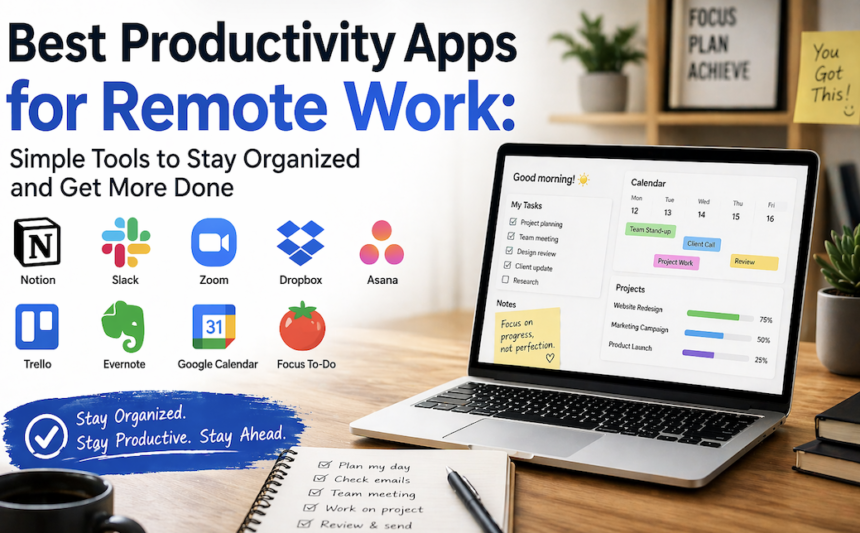
Remote work gives people more freedom, but it also brings new challenges. It can be hard to stay focused, manage tasks, share files, and keep in touch with your team when everyone is in a different place. That is why choosing the right tools matters so much.
The best productivity apps for remote work help you save time, reduce confusion, and work with less stress. They can improve communication, keep projects moving, and help you remember important deadlines. Whether you are a freelancer, team leader, or part of a company with remote staff, the right apps can make daily work smoother and more productive.
In this guide, you will find practical app ideas for communication, project tracking, note-taking, time management, and focus. The list uses simple examples so you can understand how each tool helps in real life. You do not need to install everything. Even a few good apps can change the way you work from home or anywhere else.
Why Remote Work Needs the Right Apps
Working from home sounds easy at first, but it often becomes messy without the right support. In an office, you can ask a quick question, check a whiteboard, or speak to a coworker in person. Remote work does not work that way. People need digital tools to replace those quick office moments.
Good apps help you share updates, assign tasks, store files, and track progress in one place. They also reduce long email chains and repeated messages. This is important when your team works in different time zones or handles many projects at once. A clear system saves time and lowers stress.
Another big benefit is consistency. When everyone uses the same tools, work becomes easier to follow. For example, if all tasks are in one project board and all meeting notes are saved in one shared space, nobody has to search through old chats or emails. That small change can improve team speed a lot.
The right apps also support personal productivity. They help you plan your day, stay on schedule, and avoid distractions. In remote work, that is often the difference between finishing early and feeling behind all day.
Communication Tools That Reduce Confusion
Clear communication is key to successful remote work. Quick and simple contact prevents small issues from escalating. That’s why communication apps are essential for remote teams. It’s not about talking more, but about talking smarter. The goal is to connect effectively, not just talk more.
Slack is one of the most popular tools for team chat. It keeps messages organized by channels, so people can separate topics like marketing, design, support, or urgent updates. This makes it easier to find the right conversation later. Slack also supports file sharing, voice messages, and app connections, which help teams work faster. If your group sends many short updates during the day, Slack can be a strong choice.
Zoom is useful for video meetings. It works well for team check-ins, client calls, training sessions, and project reviews. Video helps people understand tone, body language, and quick reactions better than text alone. This is helpful when the topic is complex or the team needs to make a decision fast.
Here are some ways these apps make a difference:
- Faster answers to daily questions
- Fewer missed messages
- Easier team meetings
- Better connection across locations
If your team feels scattered, start with one chat app and one meeting tool. That alone can bring more order into your day.
Project Management Apps That Keep Tasks on Track
Remote work becomes much easier when every task has a clear place. Project management apps help teams see what needs to be done, who owns each task, and what is coming next. They are especially useful when several people work on the same goal.
Trello is simple and visual. It uses boards, lists, and cards, which makes it easy to move tasks from “to do” to “done.” Many people like Trello because it does not feel too heavy or difficult. You can use it for content calendars, client work, event planning, or even personal goals. If you like seeing your progress in a clean layout, Trello is a great option.
Asana is a stronger choice for larger teams or more detailed projects. It helps you assign tasks, set deadlines, add notes, and track progress across different stages. Asana is useful when many small steps must happen in the right order. For example, a marketing team can use it to plan campaigns, write content, review designs, and publish work on time.
These apps are helpful because they show the full picture. Clear guidance ensures everyone knows their next step. Everyone can see the plan and stay accountable.
Useful benefits include:
- Clear deadlines
- Easy task assignment
- Better teamwork
- Less confusion about priorities
If your remote team often asks, “Who is doing this?” or “What is next?”, A project app provides quick solutions and clear direction for everyone’s next move.
Note-Taking and File Sharing Tools for Better Collaboration
Good remote work depends on good records. When people forget meeting notes, lose files, or save information in different places, work slows down. That is why note-taking and file-sharing apps are so important. They keep ideas, updates, and documents in one safe place.
Notion is one of the most flexible tools for remote teams. It can be used for notes, task lists, knowledge bases, project plans, and even simple wikis. You can build pages for team processes, client details, and meeting summaries. This is very useful for teams that want one tool for many jobs. Notion also works well for personal planning, so workers can keep their own dashboard, too.
Google Workspace is another strong option. It includes Google Docs, Sheets, Drive, and Calendar. These tools are easy to use and familiar to many people. You can write documents together in real time, store files in Drive, and schedule meetings without switching between many apps. For teams that need simple collaboration, Google Workspace is often a smart choice.
These tools are valuable because they make knowledge easy to find. You do not need to ask the same question twice or search across many folders.
A few common uses:
- Save meeting notes
- Share guides and documents
- Build team handbooks
- Work on files at the same time
When remote teams have one shared information space, they move faster and make fewer mistakes.
Time Management and Focus Apps That Improve Daily Output
Even with good communication and task tools, remote workers still need to protect their attention. Home can be full of distractions like phone alerts, family noise, or the temptation to check social media. Time management apps help you stay on track and use your day better.
Todoist is a simple app for daily planning. You can create tasks, set deadlines, and organize your work by project or priority. It is helpful for people who want a clean list without too much extra setup. You can start your morning by checking what matters most and finish the day with a clear sense of progress.
Clockify is useful if you want to track how much time you spend on each task. This is great for freelancers, consultants, and teams that bill by the hour. It also helps you see where your time goes. Many people are surprised when they realize how much time is lost in small tasks or long breaks.
Forest is a focus app that helps reduce phone use. It turns concentration into a small challenge by letting you grow a virtual tree while you stay off your device. This may sound simple, but it works well for short focus sessions. It is a good reminder to stay present.
These apps support better habits:
- Plan tasks in advance
- Measure time use
- Reduce distractions
- Build stronger focus blocks
If remote work feels messy, adding one planning app and one focus tool can make a big difference.
How to Choose the Right Apps for Your Remote Work Style
Not every team needs the same tools. The best choice depends on your work style, team size, and daily problems. A small freelance business may only need a chat app, a task tracker, and cloud storage. A larger remote company may need more structure, such as project boards, time tracking, and shared knowledge bases.
Start by asking what is slowing you down. Are there missed messages? Late deadlines? Lost files? Too many meetings? Once you know the problem, it becomes easier to choose the right app.
Here are a few simple tips:
- Choose tools that are easy to learn
- Avoid using too many apps at once
- Pick apps that work well together
- Test one tool before making it team-wide
- Keep the setup simple and clear
It is also smart to check whether the app fits your device and budget. A tool should save time, not create more work. If the app feels confusing after a few tries, it may not be the right one for your team.
The ideal setup is not the most advanced one. It is the one people actually use every day.
Simple Daily Workflow Using These Apps
A good remote routine does not need to be complicated. You can build a smooth day by combining a few tools in a simple way.
For example:
- Start your day in Todoist to review priorities
- Check Slack for team updates
- Open Trello or Asana to see active tasks
- Use Google Docs or Notion for notes and planning
- Join Zoom only for meetings that truly need live discussion
- Track focused work time in Clockify if needed
This kind of routine keeps your day organized. It also reduces the habit of jumping between random apps. The simpler your process is, the easier it becomes to stay productive.
A real-life example: a remote content team can plan articles in Trello, write drafts in Google Docs, store style guides in Notion, and discuss edits in Slack. That setup keeps every part of the work visible. Nobody has to guess what is happening.
The best system is one that feels natural. When tools match your work style, you save energy for actual work instead of managing the process.
Conclusion
Remote work can be flexible, efficient, and even enjoyable when you use the right tools. The best productivity apps for remote work are the ones that make your day clearer, faster, and less stressful. You do not need a long list of platforms. You need a smart mix that fits your team and your goals.
If you focus on communication, task tracking, note-taking, and time management, your work will feel more controlled and less chaotic. Start small, test what works, and build a system that supports your real needs. The right apps will not do the work for you, but they will help you do your best work with less effort and more confidence.
FAQ’s
What are the best productivity apps for remote work?
The best apps depend on your needs, but popular choices include Slack for chat, Zoom for meetings, Trello or Asana for task management, Notion for notes, Google Workspace for documents, and Todoist or Clockify for planning and time tracking.
Which app is best for remote team communication?
Slack is one of the best options for team communication because it keeps conversations organized by topic. Zoom is better for face-to-face meetings, client calls, and team discussions that need live interaction.
Can one app do everything for remote work?
Some apps like Notion come close, but no single tool does everything well. Most teams work better with a small set of apps that each handle one job properly, such as chat, tasks, and file sharing.
Are free productivity apps enough for remote workers?
Yes, free versions are often enough for small teams or solo workers. Many tools offer useful basic features. As your work grows, you may want paid plans for more storage, automation, or advanced control.
How do I avoid using too many apps?
Start with the main problems first. Choose one tool for communication, one for tasks, and one for notes or files. Keep your setup simple and remove apps that do not help your daily routine.