
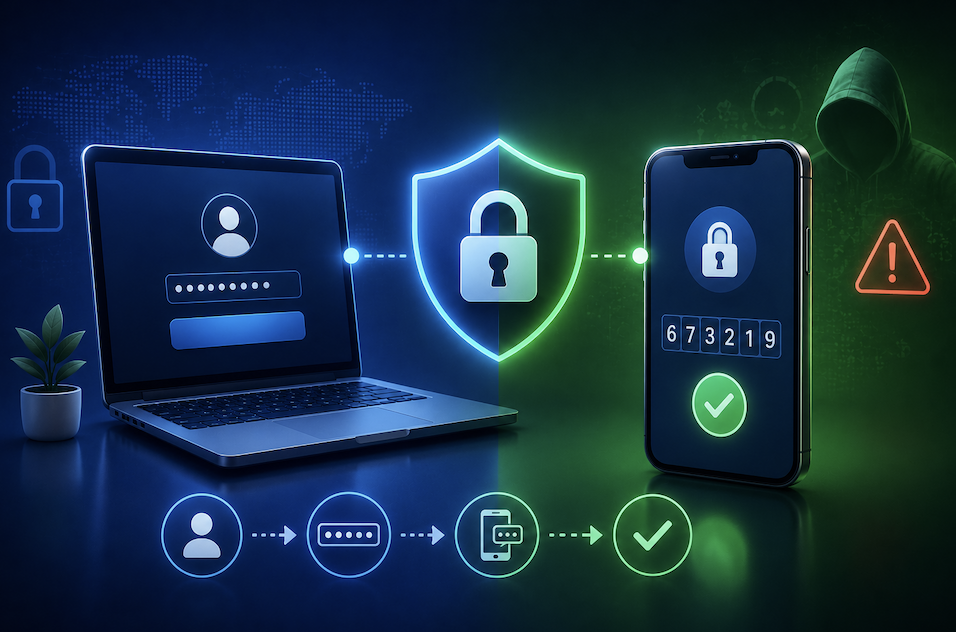
Passwords alone have quietly become one of the weakest links in online security, no matter how clever or complex you try to make them. Data breaches leak millions of passwords every year, and once a password is exposed, it can often be reused against your other accounts too. Two-factor authentication was built specifically to close this gap, and understanding how it actually works makes it much easier to see why security experts consider it one of the single most effective steps anyone can take to protect their accounts.
What Two-Factor Authentication Actually Means
Two-factor authentication, often abbreviated as 2FA, requires you to verify your identity using two separate types of proof before you can log into an account, rather than relying on a password alone. The first factor is typically something you know, like your password. The second factor is something you have or something you are, such as a code sent to your phone, a generated code from an authenticator app, or a fingerprint scan.
This layered approach means that even if someone manages to steal or guess your password, they still cannot access your account without also having that second piece of verification, which is usually tied specifically to a device only you possess.
The Different Types of Second Factors Available
Not all forms of two-factor authentication offer the same level of protection, and understanding the differences helps you choose the strongest option available for each account.
- Text message codes sent to your phone, the most common but least secure option, since phone numbers can sometimes be hijacked
- Authenticator apps that generate a new code every thirty seconds, offering stronger protection than text messages
- Physical security keys that you plug in or tap to verify your identity, considered the strongest widely available option
- Biometric verification, like a fingerprint or face scan, often used on phones and increasingly on laptops
Why a Stolen Password Alone No Longer Guarantees Access
Without two-factor authentication enabled, a leaked or guessed password is often all an attacker needs to fully access an account, potentially reading private messages, making purchases, or locking out the legitimate owner entirely. With 2FA enabled, that same stolen password becomes far less useful on its own, since the attacker would also need physical access to your phone, authenticator app, or security key to complete the login.
- A leaked password alone becomes insufficient to access an account with 2FA enabled
- Attackers would need physical access to your second factor device to succeed
- This dramatically reduces the effectiveness of large scale automated password attacks
- Even weaker passwords become significantly safer when paired with strong 2FA
Common Concerns That Stop People From Enabling It
Many people avoid enabling two-factor authentication out of a fear that it will make logging in slower or more complicated, or out of concern about what happens if they lose access to their second factor device. These concerns are understandable, but most services now offer reasonable solutions, including backup codes generated at setup time that can be used if you ever lose access to your primary method.
- Backup codes generated during setup provide a safety net if you lose your device
- Most authenticator apps allow you to transfer your accounts to a new phone during setup
- The extra login step typically only adds a few seconds to the process
- Many services remember trusted devices, reducing how often you need to verify
Practical Steps for Setting Up 2FA Effectively
- Start with your most important accounts first, particularly email, banking, and any account tied to password recovery
- Choose an authenticator app over text message codes whenever the option is available
- Save your backup codes somewhere secure but accessible, such as a password manager
- Consider a physical security key for your most sensitive accounts if your provider supports one
Why Attackers Specifically Target Accounts Without 2FA
From a cybercriminal’s perspective, accounts without two-factor authentication represent significantly easier targets, which is exactly why automated attack tools are often specifically designed to test large batches of leaked username and password combinations against various websites, a technique known as credential stuffing. Accounts protected only by a password, especially a reused one, are far more vulnerable to this kind
of automated, large scale attack.
Once an attacker successfully gains access to an unprotected account, they often use it as a stepping stone to access other, more sensitive accounts, particularly if that email account also serves as the password recovery method for banking, shopping, or social media accounts. This cascading risk is exactly why security experts consistently emphasize protecting your primary email account with 2FA first, since it often serves as the gateway to recovering access to nearly everything else you use online.
- Automated credential stuffing attacks specifically target accounts lacking additional verification
- A compromised email account can cascade into access to numerous other connected accounts
- Attackers generally move on quickly when they encounter accounts protected by strong 2FA
- Prioritizing your email account’s security has an outsized protective effect on your other accounts
Final Thoughts
Two-factor authentication adds a genuinely meaningful layer of protection against one of the most common ways accounts get compromised: a simple stolen or guessed password. Taking a few minutes to enable it across your important accounts is one of the highest value security habits available today, turning a single point of failure into a much more resilient, layered defense.
If you have been putting this off because it seems like a hassle, consider starting with just one account today, your email, and building from there. The few extra seconds it adds to your login routine is a small price for the peace of mind that comes with knowing a leaked password alone can no longer hand over full access to your digital life.
Frequently Asked Questions
1. Does two-factor authentication make my accounts completely unhackable?
No security measure is completely foolproof, but 2FA significantly reduces the risk of unauthorized access, since attackers would need both your password and your second factor device to succeed.
2. What happens if I lose my phone with my authenticator app on it?
This is exactly why backup codes matter. Most services provide these during 2FA setup, allowing you to regain access even without your original device, as long as you saved them somewhere secure.
3. Is text message based 2FA still worth using if it’s the only option?
Yes, it is still significantly better than no second factor at all, even though it is considered less secure than an authenticator app or physical security key due to potential phone number hijacking.
4. Should I enable 2FA on every single account I have?
Prioritizing your most important accounts first, especially email and financial accounts, is a reasonable approach, though enabling it wherever available provides the strongest overall protection.