

Our phones are a part of our daily lives. We use them to talk to people, do banking, shop, and store our memories. Because of this, hackers are always trying to find ways to break into our phones and steal our information. We need to take phone security seriously and build strong habits to protect our data.
In this guide, we will share some steps that can help secure your phone from hackers. Each step is simple. When we do them all together, they create a strong defense system.
Why Phone Security Matters More Than Ever
Our phones have a lot of information like passwords, banking apps, emails, and private photos. This makes them more valuable than laptops in certain cases. Hackers like to target phones because people often do not follow security rules. If we make one mistake, like installing an app or clicking on a suspicious link, it can put all our data at risk.
Hackers use methods like spyware, fake messages, and fake Wi-Fi networks to get into our phones. These attacks are designed to look normal, so we do not notice anything. For example, a fake app might look like a real one, but it can secretly collect our data in the background.
We need to understand that phone security is not something we can ignore anymore. It is necessary. When we protect our phones, we protect our identity, money, and personal life. If we take steps to prevent problems today, we can avoid big issues in the future.
Use Strong Locks and Biometric Security on Your Phone
A lock screen is our first line of defense against people who should not be using our phone. If someone gets their hands on our phone, a weak lock makes it easy for them to unlock it in a few seconds. We should always use a lock method that is hard to guess.
A strong PIN with at least six digits is better than a simple four-digit code. Passwords are more secure if they have letters and numbers in them. Biometric options like fingerprint and face recognition add another layer of protection. These methods are quick and harder to bypass.
We should also turn on auto-lock so our phone locks quickly when we are not using it. This prevents people from using our phone if we leave it unattended. We should not use patterns or simple PINs like 1111 or 1234 because these are the first things hackers try.
By making our lock screen stronger, we create a barrier that protects everything inside our phone.
Keep Your Phone Software Updated
Updating our phone software is very important for security. Many people do not update their phones because they think updates are for new features, but really updates fix security weaknesses. Hackers look for phones that are not updated because they know how to break into them.
When a company releases an update, it usually fixes security problems that hackers know about. If we do not install updates, we leave our phones open to attacks. This is why it is an idea to turn on automatic updates whenever we can.
Regular updates also make our phone run better. Fix bugs that can affect security. We should also update our apps often because old apps can give hackers a way into our phones.
By keeping our phones updated, we close security gaps. Make it much harder for hackers to get into our device.
Only Download Apps from Trusted Places
Installing apps from places is one of the most common ways phones get hacked. Websites that are not trustworthy often have apps that have hidden malware. These apps might work normally. They can collect our sensitive information in the background.
We should only download apps from app stores like the Google Play Store or Apple App Store. These places have security checks that reduce the risk of software. Then we should check app reviews, ratings, and who made the app before we install it.
If an app asks for permissions it does not need, it is a warning sign. For example, a simple calculator app should not need to access our contacts or location.
Being careful about what apps we download helps prevent security problems. It is always better to avoid apps than to deal with the consequences later.
Check What Apps Can Do on Your Phone
Apps can control what information they can access. Many apps ask for more permissions than they need. If we say yes to everything without checking, we might share our data without realizing it.
We should regularly check what permissions we have given to apps in our phone settings. We should turn off permissions that do not seem necessary. For example, social media apps do not always need to access our microphone, and utility apps rarely need to know our location.
New phones let us give permissions only when the app is being used. This is an option because it limits what the app can do in the background.
By being careful with permissions, we control what data apps can see and reduce the chances of misuse. This simple habit makes our phone more secure.
Do Not Use Public Wi-Fi Without Protection
Public Wi-Fi networks are convenient but often not safe. Hackers can watch these networks. Get the data we send over the internet. This includes passwords, messages, and financial details.
When we use Wi-Fi, we should not log into sensitive accounts like banking or email. A safer option is to use a VPN, which encrypts our data and keeps it safe from being intercepted.
We should also turn off Wi-Fi connections. This stops our phone from connecting to networks without our knowledge.
If we can, we should use our data instead of public Wi-Fi for important tasks. It might cost more. It is much safer.
Not using networks is an important step in keeping our phones secure from hackers.
Turn On Two-Factor Authentication
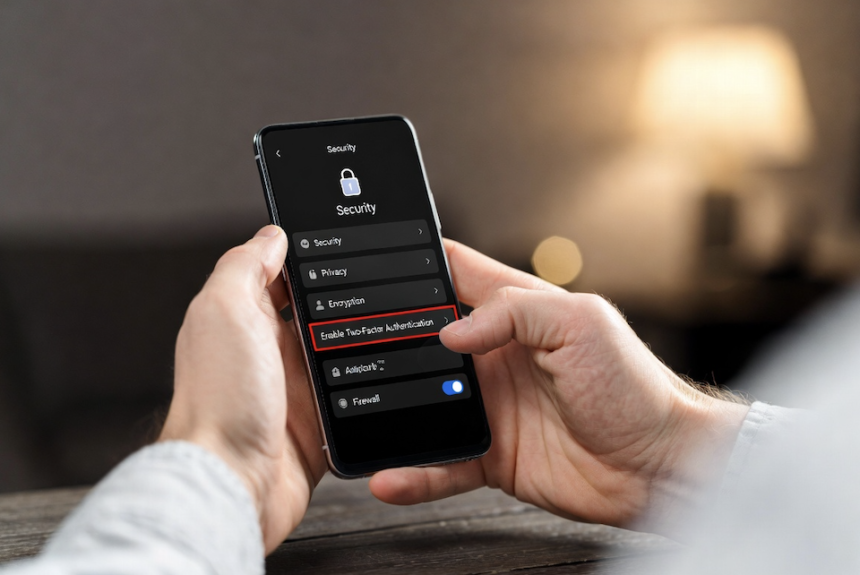
Two-factor authentication adds a layer of security beyond passwords. Even if someone gets our password, they cannot get into our account without the verification step.
This second step can be a code sent to our phone, an authentication app, or biometric verification. It makes it much harder for someone to get into our account without permission.
We should turn on two-factor authentication for all accounts, including email, social media, and banking apps. This simple feature reduces the risk of hacking a lot.
Many real cases show that accounts with two-factor authentication are rarely hacked compared to those without it. It is one of the security measures we can use today.
Be Careful with Links and Messages
Phishing attacks are designed to trick us into giving away information. These messages often look like they come from places like banks or service providers.
We should never click on links or download attachments from suspicious messages. We should always check who sent the message before we do anything.
If a message creates a sense of urgency, like asking for action, it is often a scam. Hackers use pressure to make us act without thinking.
By staying alert and cautious, we can avoid falling into these traps. Protect our personal data.
Install a Good Mobile Security App
A mobile security app gives us a layer of protection. It can find malware and scan apps. Warn us about unsafe websites. While our phones have built-in security, extra protection can make us safer.
We should choose a trusted app with reviews and regular updates. We should avoid security apps because they might be harmful themselves.
These tools help us watch for threats in time and alert us before any damage happens. For people who install apps or browse the internet often, a security app is especially useful.
Turn Off Bluetooth and Location When Not Needed
Leaving Bluetooth and location services on all the time can increase the risk of hacking. Hackers might use these features to track our devices or connect without permission.
We should turn off Bluetooth when we are not using it and only let important apps access our location. This reduces our exposure. Improves our privacy.
Simple changes like these can make a difference in our overall security.
Backup Your Data Regularly
Backing up our data ensures that we do not lose information if our phone is hacked. Regular backups let us restore our data quickly.
We can use cloud services or offline storage for backups. It is best to schedule backups to keep our data up to date.
This step does not prevent hacking. It reduces the damage if something goes wrong.
Do Not. Jailbreak Your Phone
Rooting or jailbreaking removes the security protections that come with our phones. While it gives us control, it also makes our device more vulnerable to attacks.
These devices do not get updates and are easier targets for malware. It is safer to keep our phone in its secure state.
Conclusion
Securing our phones is about having habits. Each small step adds another layer of protection. By following these strategies, we can significantly reduce the risk of hacking.
We should stay alert, update our phones regularly, and avoid actions. A secure phone means a digital life.
FAQ’s
How can we secure our phones from hackers easily?
We can secure our phones by using passwords, updating our software regularly, avoiding unknown apps, and turning on two-factor authentication.
What are the common signs of a phone?
Unusual battery drain, apps, slow performance, and strange pop-ups are common warning signs.
Is Wi-Fi safe for mobile use?
Public Wi-Fi is risky. It is safer to use a VPN or mobile data for activities.
Do we need antivirus software on our smartphones?
It is not always necessary. It adds an extra layer of protection, especially for Android users.
Can hackers get into our phones remotely?
Yes, hackers can get into our phones through malware, phishing links, or insecure networks.