
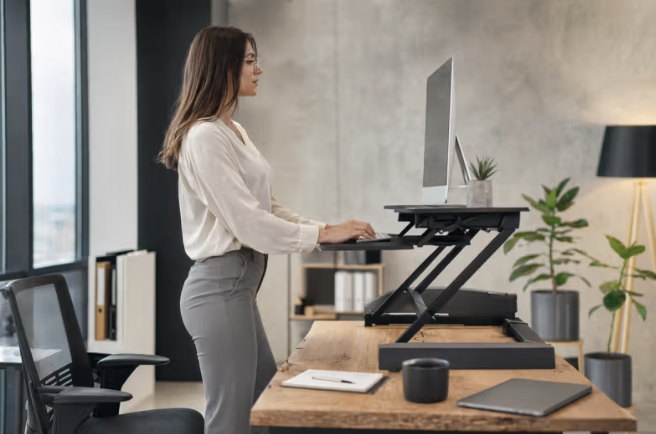
A full electric standing desk can cost several hundred dollars or more, which puts it out of reach for many people who still want the option to alternate between sitting and standing throughout the workday. A standing desk converter, placed on top of an existing desk, offers a lower-cost path to the same basic benefit, though the category includes a wide range of designs with very different ergonomic trade-offs.
This guide covers how to choose a converter that truly supports good posture, what to expect from the adjustment process, and the habits that make the switch to a sit-stand routine worth the investment.
Selecting the Right Converter Size
Standing desk converters come in a range of sizes, from compact units designed for a laptop and little else to larger platforms that accommodate a full keyboard, mouse, monitor, and sometimes a secondary screen. Measuring your existing desk space and the equipment you really use daily before purchasing prevents the common mistake of buying a converter too small to hold your full setup, which often results in cramped positioning that undermines the ergonomic benefit the converter was meant to provide in the first place.
Weight capacity is a specification worth checking closely, especially for anyone using a heavier monitor setup or a dual-monitor arrangement, since a converter rated for a lighter load can wobble or fail to lift smoothly under a heavier load than it was designed to support. Checking both the stated weight capacity and independent reviews mentioning real-world stability under a similar setup gives a more reliable sense of whether a specific converter will perform well with your real equipment rather than relying on the manufacturer’s listed specification alone.
- Desk space measurement: Confirming your desk’s available surface area prevents buying a converter too large or too small to fit.
- Equipment weight capacity: A converter’s rated weight limit should comfortably exceed your monitor, keyboard, and accessory combined weight.
- Keyboard tray inclusion: A separate, height-adjustable tray for the keyboard improves wrist positioning compared with a single flat platform.
- Dual-monitor support: Larger converters built specifically for two monitors distribute weight more evenly than a single-tier design.
- Footprint versus desk depth: A converter that extends too far back can push a monitor closer than a comfortable viewing distance allows.
Clamp-on versus free-standing designs represent another real choice point, since a clamp-on converter attaches directly to the edge of an existing desk while a free-standing unit simply rests on the surface without any fixed attachment. Clamp-on models tend to offer a sturdier lift mechanism because the base is anchored firmly to the desk itself, while free-standing models offer more flexibility to reposition or remove the unit entirely, a useful trait for anyone sharing a desk with another person who prefers to work seated throughout the day.
Setting Up Proper Monitor Height
Monitor height is one of the most frequently overlooked adjustments when setting up a standing desk converter, since many users focus entirely on keyboard and desk height while leaving the monitor at whatever position the converter happened to place it. The top of the monitor screen should sit at or just below eye level when standing upright, which often requires an additional monitor arm or stand rather than relying on the converter’s built-in platform height alone, especially for taller users whose standing eye level sits well above what a compact converter was designed to accommodate.
Viewing distance matters alongside height, since a monitor positioned too close or too far forces unnecessary neck strain regardless of how correctly the vertical height is set. A general guideline of arm’s length distance between your eyes and the screen works well for most setups, and adjusting the converter’s depth or adding a monitor arm with forward and backward adjustment range helps fine-tune this distance once the height itself has been set correctly.
- Eye-level screen top: The top edge of the monitor should align with or sit slightly below eye level when standing.
- Monitor arm addition: An adjustable arm compensates for height gaps a converter’s platform alone cannot correct for taller users.
- Arm’s length viewing distance: Positioning the screen roughly an arm’s length away reduces unnecessary neck and eye strain.
- Separate height for multiple monitors: Dual-monitor setups need matched height and angle to avoid asymmetric neck positioning.
- Document holder consideration: A document holder positioned near screen height reduces repeated neck bending for reference materials.
Lighting around the monitor deserves a brief mention alongside height and distance, since glare from an overhead light or a nearby window can push a person into leaning or tilting their head to avoid a reflection, undoing an otherwise correctly positioned screen. Angling the monitor slightly away from a direct light source, or adding a simple glare-reducing screen cover, removes this secondary source of neck and eye strain that often gets overlooked once the primary height adjustments have already been made.
Balancing Sitting and Standing Time
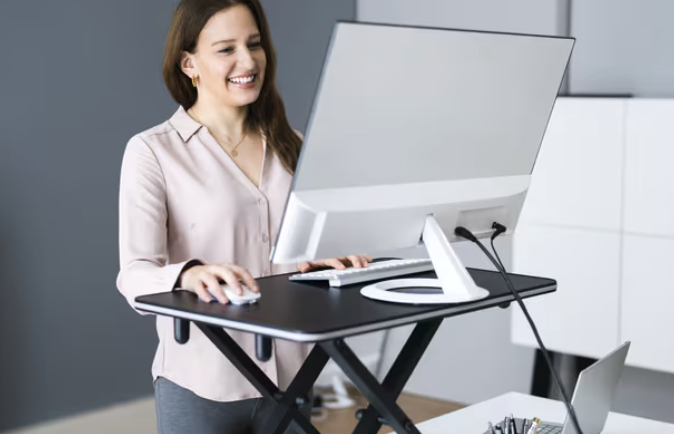
The common advice to simply stand more throughout the day oversimplifies what truly produces an ergonomic benefit, since standing in one fixed position for hours carries its own strain risks, including leg fatigue and lower back discomfort, that differ from but are not necessarily better than the risks of prolonged sitting. A more useful approach treats standing as one position within a rotation rather than a replacement for sitting altogether, with regular transitions between the two throughout the day providing more benefit than committing to either position exclusively.
A common starting ratio recommended by ergonomics specialists suggests standing for roughly a third of the workday, building up gradually for anyone unaccustomed to standing desk use rather than switching abruptly to several hours of continuous standing on the first day. Setting a timer to prompt a position change every thirty to sixty minutes removes the need to consciously track elapsed time and helps establish the rotation as an automatic habit rather than something requiring ongoing mental effort to maintain.
- Gradual standing ratio buildup: Starting with shorter standing intervals and increasing gradually avoids early fatigue and discouragement.
- Thirty to sixty minute transitions: Alternating position roughly every half hour to hour balances both postures across the workday.
- Anti-fatigue mat use: A cushioned mat reduces leg and foot strain during standing intervals, especially on hard flooring.
- Supportive footwear: Standing for extended periods in unsupportive shoes increases fatigue faster than supportive footwear allows.
- Timer or app reminders: A simple reminder tool removes the mental burden of tracking when to switch positions throughout the day.
Pairing position changes with natural breaks in the workday, such as a scheduled call, a short walk to refill water, or a shift between different types of tasks, tends to feel more sustainable than treating the switch as a separate, isolated event disconnected from the rest of the day’s rhythm. This approach also reduces the friction of remembering to switch, since the transition becomes attached to something you were already planning to do rather than an additional task competing for attention alongside the work itself.
Preventing Wrist and Neck Strain
Wrist positioning deserves close attention on a standing desk converter, since the keyboard platform’s height relative to your elbows directly affects whether your wrists rest in a neutral position or bend upward or downward during typing. The keyboard should sit at a height where your elbows form roughly a ninety-degree angle with your forearms parallel to the floor, and a converter without independent keyboard height adjustment often forces a compromise between ideal keyboard height and ideal monitor height, since both are tied to the same platform.
Neck strain commonly develops from a combination of poor monitor height and a habit of leaning forward to read small text or examine fine detail on screen, a tendency that becomes more pronounced during long stretches of focused work when posture awareness naturally declines. Increasing font size or display scaling to reduce the need to lean forward, combined with periodic posture checks throughout the day, addresses this root cause more effectively than adjusting desk height alone, since the forward lean habit can persist even with a correctly positioned screen if the underlying reason for leaning forward is never addressed.
- Neutral wrist angle: Keeping wrists level rather than bent up or down during typing reduces strain on tendons over time.
- Ninety-degree elbow angle: Keyboard height should allow elbows to rest near a right angle with forearms parallel to the floor.
- Independent platform adjustment: Converters allowing separate keyboard and monitor height avoid forcing a compromise between the two.
- Font size and display scaling: Larger on-screen text reduces the forward-leaning habit that contributes to neck strain over time.
- Periodic posture self-checks: Briefly checking wrist, neck, and shoulder position every so often catches drift before it becomes a habit.
Shoulder tension often builds from a desk or keyboard platform set slightly too high, forcing the shoulders to hike upward to reach a comfortable typing position rather than resting in their natural, relaxed state. This is a less commonly discussed strain point compared with wrist and neck positioning, but it compounds over the course of a workday and can contribute to tension headaches or upper back discomfort if left unaddressed through a careful height adjustment of the keyboard platform relative to a seated or standing posture.
Budgeting for Accessories and Upgrades
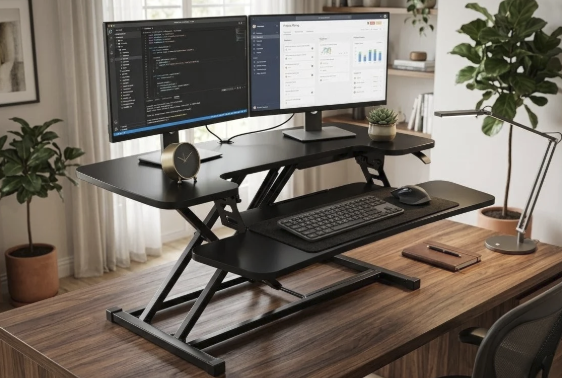
A base-model standing desk converter often requires a few additional accessories to reach a fully ergonomic setup, and budgeting for these from the start avoids the frustration of discovering mid-use that the base unit alone does not provide adequate support. An anti-fatigue mat, a separate monitor arm, and a supportive chair for the sitting intervals are the most commonly needed additions, and their combined cost can approach or exceed the price of the converter itself depending on the quality level chosen for each piece.
Upgrading incrementally, starting with the converter and adding accessories as specific discomfort points become clear through real use, is a reasonable approach for anyone working with a limited budget rather than purchasing every possible accessory immediately. This approach also avoids spending on an accessory that turns out to be unnecessary for your specific body dimensions or work habits, since ergonomic needs vary enough from person to person that a universal accessory bundle rarely fits everyone equally well.
- Anti-fatigue mat cost: A quality cushioned mat ranges widely in price and clearly affects comfort during standing intervals.
- Monitor arm investment: A separate adjustable arm often costs as much as a basic converter but solves height and distance issues directly.
- Supportive seating pairing: A proper ergonomic chair for sitting intervals complements the converter rather than competing with it for budget.
- Incremental upgrade approach: Adding accessories as specific discomfort points emerge avoids overspending on unnecessary items upfront.
- Resale or trial period options: Buying from a retailer with a return window allows testing before committing to a full accessory bundle.
Lighting, cable management, and general desk organization are worth a mention alongside the core ergonomic accessories, since a converter raised to standing height can expose a tangle of cables that were previously hidden behind a stationary monitor and keyboard. A simple cable management tray or clip system keeps cords from catching on the lift mechanism during a height transition, which both protects the cables themselves and removes a minor daily annoyance that can otherwise discourage regular use of the sit-stand function altogether.
Testing Stability and Weight Capacity
Stability during the transition between sitting and standing height is one of the most important practical qualities to test before relying on a converter daily, since a wobbly platform during height adjustment can be unsettling at best and a safety risk at worst if a monitor or hot beverage is on the surface during the shift. Testing the converter’s movement through its full range of motion, ideally before the return window on a purchase closes, reveals whether the mechanism feels smooth and controlled or loose and unstable under your real equipment load.
Weight distribution across the platform affects stability as much as the total weight itself, since concentrating a heavy monitor at one edge of the platform rather than centering it can cause a lean or wobble that would not appear with a more evenly distributed load. Arranging equipment with the heaviest items centered and balanced, rather than clustered to one side for convenience, improves both the stability of the lift mechanism and its long-term durability under repeated daily use.
- Full range-of-motion testing: Moving the converter through its complete height range before committing reveals smoothness or instability.
- Weight distribution check: Centering heavier items like monitors reduces wobble compared with clustering weight to one side.
- Locking mechanism reliability: A converter that holds its position firmly at every height setting prevents unexpected drift during use.
- Surface material durability: A sturdy platform material resists sagging or flexing under sustained daily equipment weight over time.
- Return window verification: Confirming a retailer’s return policy before purchase allows real-world testing without financial risk.
Lift mechanism type also affects both stability and day-to-day convenience, since converters typically use either a gas spring, a manual crank, or an electric motor to adjust height. Gas spring models tend to offer the fastest, simplest adjustment with a single lever release, though they can feel less precise for landing at a specific height compared with a crank or electric mechanism. Electric converters cost more but offer the smoothest, most repeatable height adjustment, which can matter for anyone switching positions frequently throughout the day rather than only once or twice.
Final Thoughts
A standing desk converter offers a practical, lower-cost way to add movement and position variety to a workday that would otherwise involve hours of continuous sitting, but the ergonomic benefit depends heavily on correct setup rather than the converter alone. Matching the converter’s size and weight capacity to your real equipment, setting monitor and keyboard height correctly, and building a gradual, sustainable rotation between sitting and standing all matter more than the base price of the unit itself.
Budgeting for a few key accessories, testing stability before committing fully, and adjusting the setup as discomfort points emerge will help ensure the converter becomes a lasting improvement to your daily routine rather than an underused piece of equipment pushed to the back of a desk after the first few uncomfortable weeks.
Read more about Techsipra
Frequently Asked Questions
How much standing time per day is really recommended?
Many ergonomics specialists suggest starting with roughly a third of the workday spent standing, building up gradually rather than switching abruptly to extended standing periods. The right balance varies by individual comfort and job demands, so adjusting based on how your body responds over the first few weeks is a reasonable approach.
Do I need a separate monitor arm with a standing desk converter?
It depends on your height and the converter’s built-in platform height range. Taller users and anyone using a converter with a fixed, lower monitor platform often need a separate adjustable arm to bring the screen to a comfortable eye-level height when standing.
Can a standing desk converter cause more strain than it helps with?
Yes, if the keyboard, monitor, and standing surface are not adjusted correctly, a converter can introduce wrist, neck, or shoulder strain rather than reducing it. Taking time to properly set up height, distance, and wrist angle is as important as the decision to use a converter in the first place.
Is a cheaper standing desk converter a reasonable choice for an occasional user?
A budget converter can work well for someone planning to use it occasionally rather than for extended daily periods, as long as it meets your weight capacity needs and offers reasonably stable movement through its height range. Reading reviews focused on stability and durability helps separate reliable budget options from ones likely to wear out quickly.
How do I know if my standing desk converter is the right size for my desk?
Measure your available desk surface area and compare it against the converter’s footprint, including how far it extends backward when raised, before purchasing. A converter that fits well on paper but crowds your remaining desk space in practice undermines the convenience it was meant to add.
Should I buy an anti-fatigue mat right away or wait and see if I need one?
Starting with a mat from the beginning is a reasonable choice for most people, since standing on a hard floor surface for even moderate periods often causes noticeable foot and leg discomfort within the first few sessions. Waiting to see if discomfort develops before buying one is also reasonable for a limited budget, as long as you are willing to adjust standing duration in the meantime.